
Best Tax Organizers for U.S. Households: How to Keep Financial Documents Organized
Learn how to organize tax documents at home with practical filing systems, digital folders, scanners, shredders, document boxes and tax organizers for U.S. households.
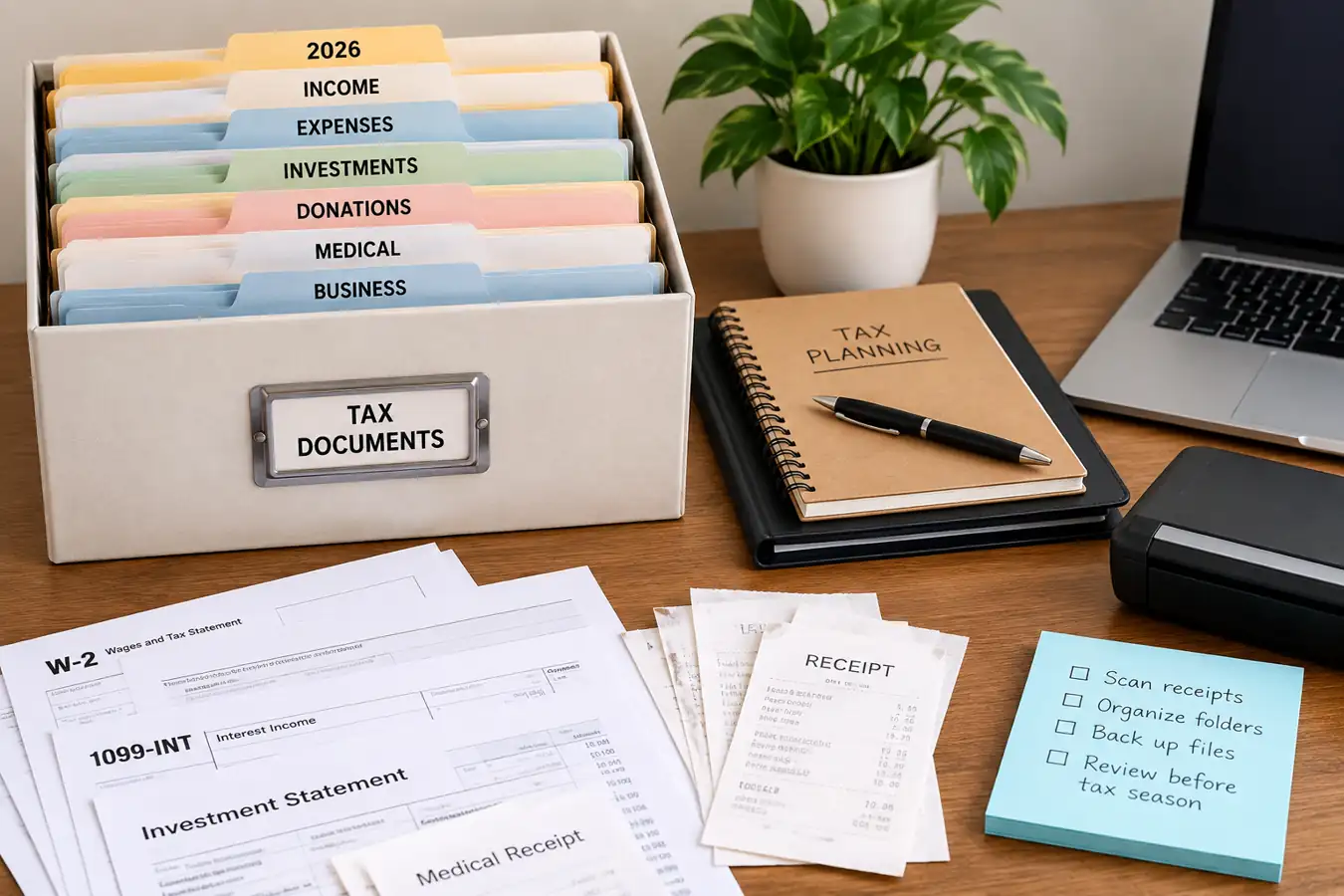
Tax documents have a way of multiplying: W-2s, 1099s, receipts, donation records, investment statements, medical bills, business expenses, and PDFs scattered across email accounts and cloud storage.
A good tax organization system does not need to be complicated. The goal is to create one reliable place for financial documents, separate current-year records from older files, and make important paperwork easy to find when you or your tax professional need it.
This article is about organization—not tax advice. Whether a particular expense, deduction, donation, medical cost, investment transaction, or business expense qualifies for tax treatment depends on the individual's circumstances and applicable federal, state, and local rules. Check current IRS guidance or consult a qualified tax professional for tax questions.
Quick Answer: What Is the Best Way to Organize Tax Documents?
For most households, a hybrid system works well: keep important original documents in a secure physical location, scan documents that you may need electronically, create folders by tax year and category, and use secure storage for particularly important records.
- Keep important original documents in a secure physical location.
- Scan documents that you may need electronically.
- Create folders by tax year and document category.
- Use an accordion organizer or file system for active paper records.
- Keep receipts and supporting documents together with the financial activity they relate to.
- Store important digital files with clear filenames and consistent folder structures.
- Use a fire-resistant document container or safe for particularly important records.
- Shred documents you no longer need rather than simply throwing them away.
- Review your records periodically instead of waiting until tax season.
The IRS explains that keeping good records can help taxpayers identify income, track expenses, prepare tax returns, and support items reported on a return. See the IRS recordkeeping guidance .
When you buy through links on our site, we may earn an affiliate commission at no extra cost to you. This helps support our work.
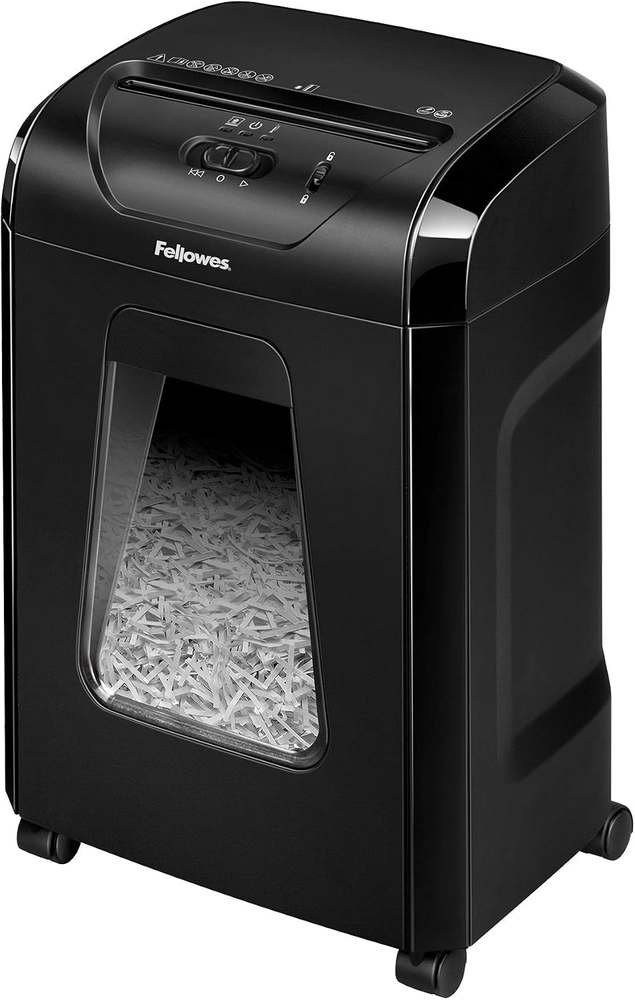
The Fellowes Powershred 12-Sheet Cross-Cut Paper Shredder is a practical choice for home offices and small workspaces. It securely shreds documents into small particles, helping protect sensitive information while handli...
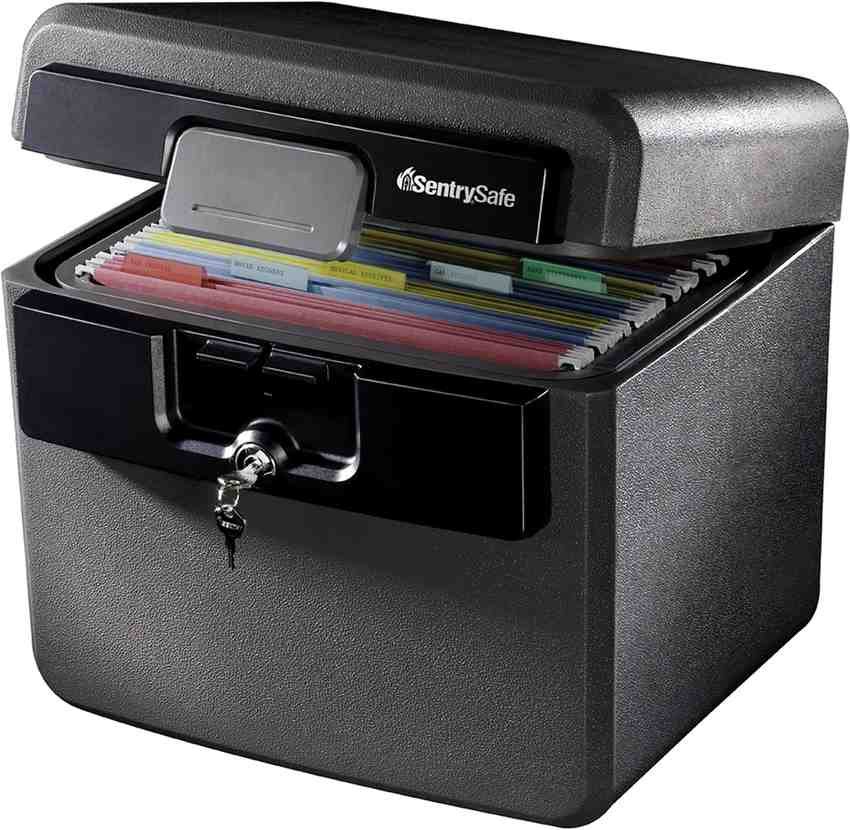
The SentrySafe HD4100 is a fireproof and water-resistant document box designed to protect important papers and valuables. Its key lock, spacious interior, and file-folder storage make it useful for organizing financial r...
Who This Article Is For
This guide is useful for U.S. households that want to organize:
- W-2s and 1099s
- Receipts and invoices
- Donation records
- Investment statements
- Medical expense paperwork
- Self-employment and side-hustle records
- Previous tax returns
- Insurance and financial documents
- Digital PDFs and scanned documents
If you're also trying to improve your broader financial organization, see the CoreAdorn Personal Finance & Career guide for U.S. professionals .
The SentrySafe HD4100 is a fireproof and water-resistant document box designed to protect important papers and valuables. Its key lock, spacious interior, and file-folder storage make it useful for organizing financial r...
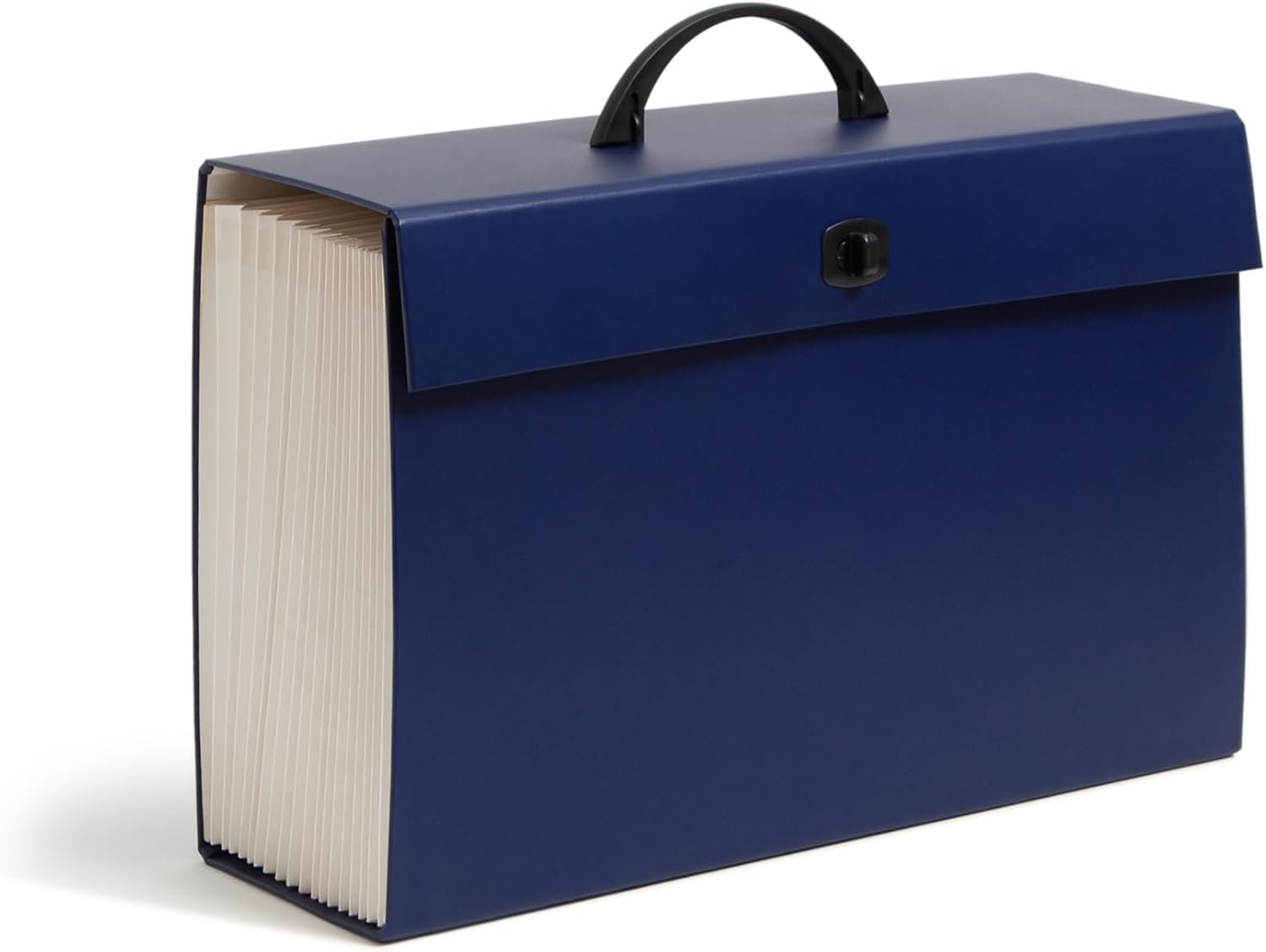
The Smead Portable Expanding File Box keeps important documents organized and easy to access. With 19 pockets, blank tabs, printed labels, and a secure latch closure, it offers plenty of space for sorting paperwork, bill...
Why Tax Organization Matters
Tax organization is less about having a perfectly tidy filing cabinet and more about being able to answer three questions quickly:
- What is this document?
- Which tax year does it belong to?
- Where is the supporting documentation?
That becomes increasingly useful as your finances become more complicated.
A household might receive income from an employer, freelance work, investments, interest, retirement accounts, or other sources. Financial records can also arrive through physical mail, email, employer portals, financial institutions, payment services, and accounting software.
Without a system, documents can end up in several places:
- A desk drawer
- An email inbox
- A downloads folder
- A filing cabinet
- A cloud drive
- A tax-preparation folder
- A spouse's computer
- A business bookkeeping system
A basic organization system brings those records into a structure you can understand.

Money for Couples by Ramit Sethi offers a practical 10-step plan to help couples manage money without stress or fights. It covers spending, saving, debt, investing, and shared financial goals, helping partners build bett...
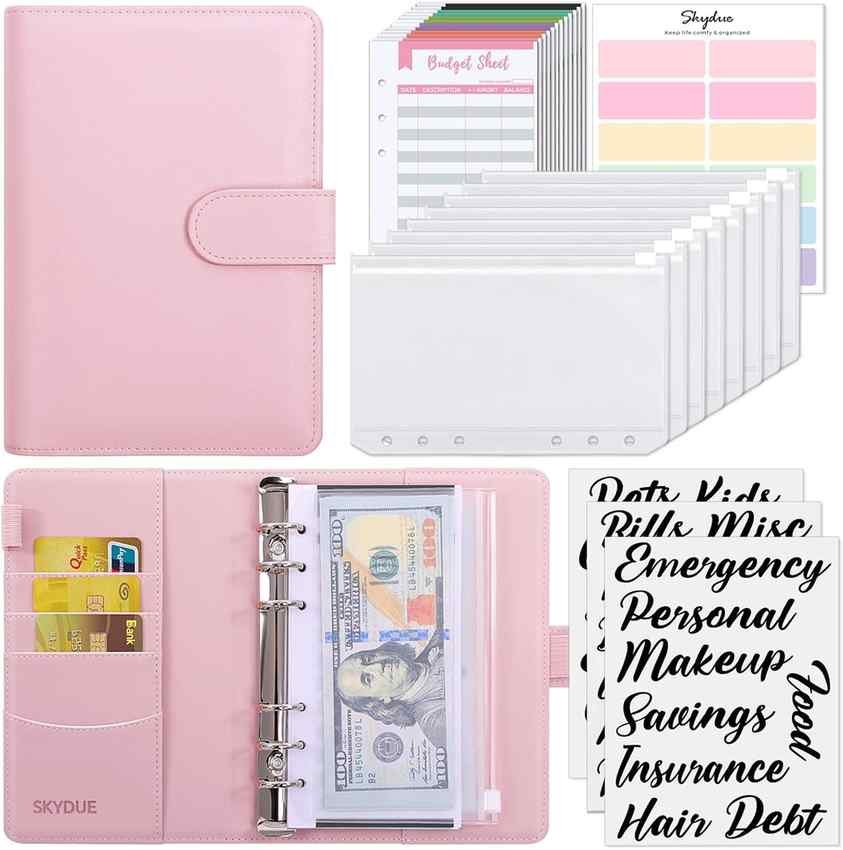
The SKYDUE Budget Binder is a practical cash-management tool designed to make budgeting easier. With zipper envelopes, cash envelopes, and expense budget sheets, it helps you organize bills, track spending, set savings g...
What Documents Should You Organize?
| Document Category | Best For | What to Look For |
|---|---|---|
| Income | W-2s, 1099s, statements | Documents showing income received |
| Expenses | Receipts and invoices | Date, amount and purpose |
| Investments | Brokerage records | Statements and transaction records |
| Donations | Charitable contributions | Receipts and supporting records |
| Business | Self-employment | Income and expense doc |
| Medical | Applicable healthcare costs | Bills, receipts and payment records |
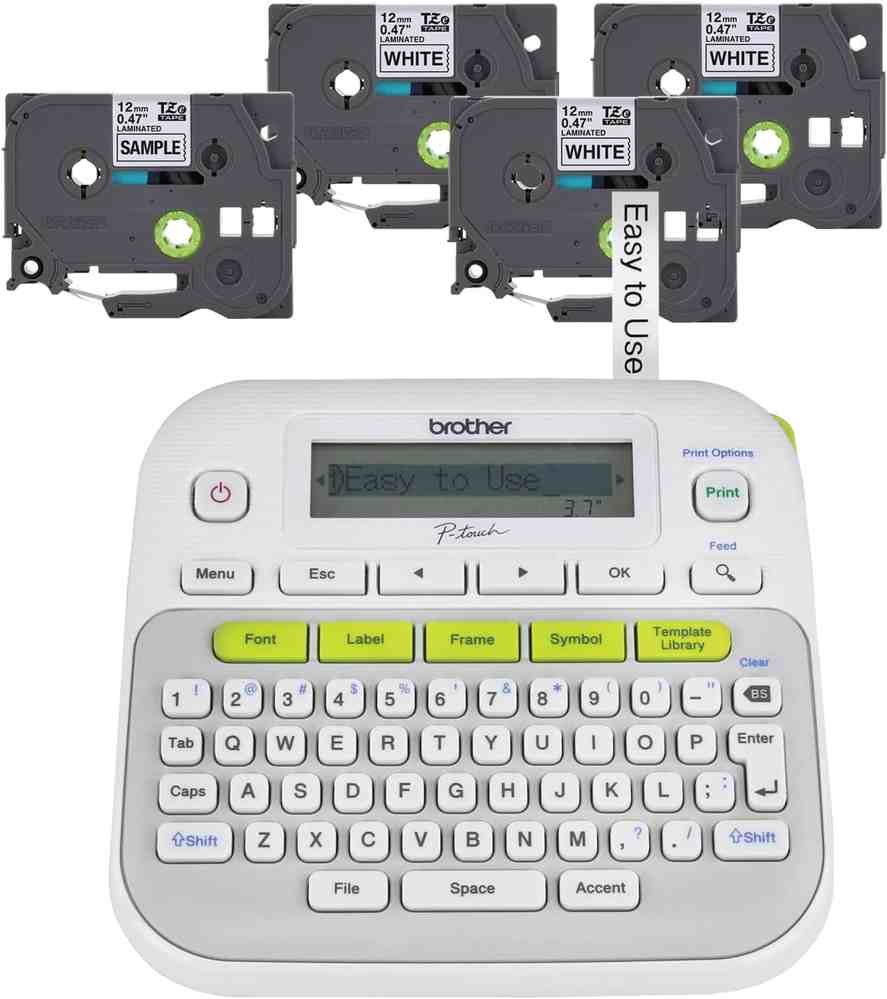
The Brother P-Touch PTD210 is an easy-to-use label maker for organizing home, office, school, and storage spaces. This bundle includes four label tapes, making it convenient to create clear, customized labels for folders...
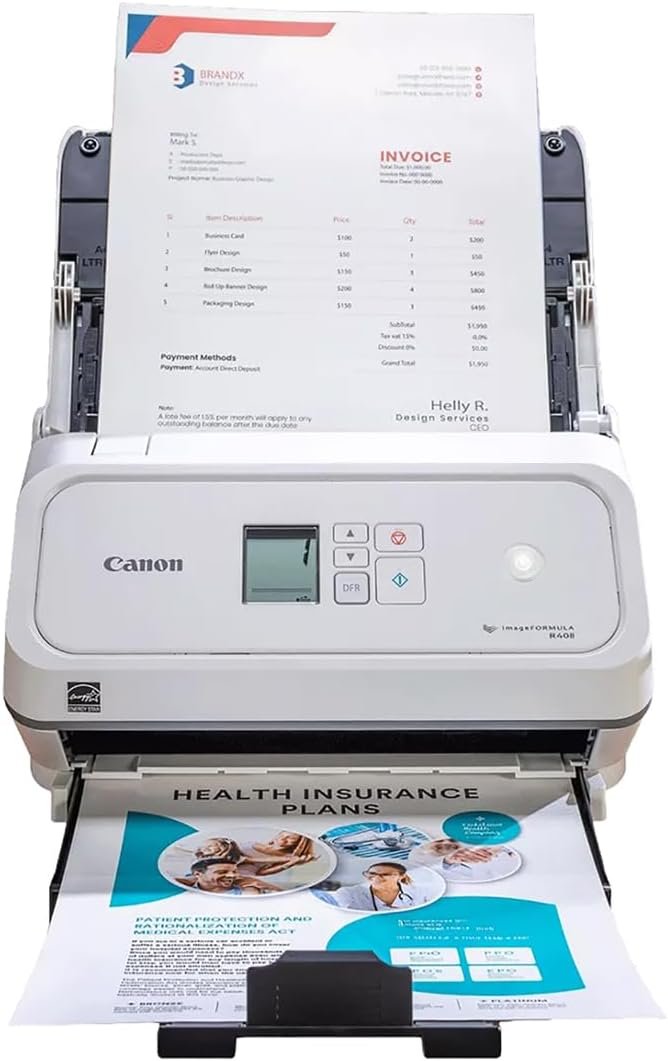
The Canon imageFORMULA R40II Receipt Edition is a versatile office document scanner designed for fast, organized digitization. It handles receipts, invoices, contracts, and other documents, helping businesses reduce pape...
Income Documents
Income documents are usually the first category to create.
Depending on your circumstances, records may include:
- W-2 forms
- 1099 forms
- Pay statements
- Interest statements
- Dividend statements
- Retirement-account statements
- Brokerage-related tax documents
- Self-employment income records
- Other income documentation
The exact forms you receive depend on your financial activities.
Instead of creating a separate folder for every individual form, a simple Income folder can work well for many households.
Receipts and Expense Records
Receipts are easy to lose because many are small, temporary pieces of paper.
A better approach is to decide what happens to a receipt as soon as you receive it.
For example:
Paper receipt → scan or photograph → digital folder → physical copy filed or discarded when appropriate
For digital receipts:
Email receipt → download → rename → appropriate folder
Useful filenames might look like:
2026-03-15_Office-Supplies_125.40.pdf
rather than:
receipt_final2.pdf
The first filename tells you the date, category and amount without opening the file.
The Canon imageFORMULA R40II Receipt Edition is a versatile office document scanner designed for fast, organized digitization. It handles receipts, invoices, contracts, and other documents, helping businesses reduce pape...
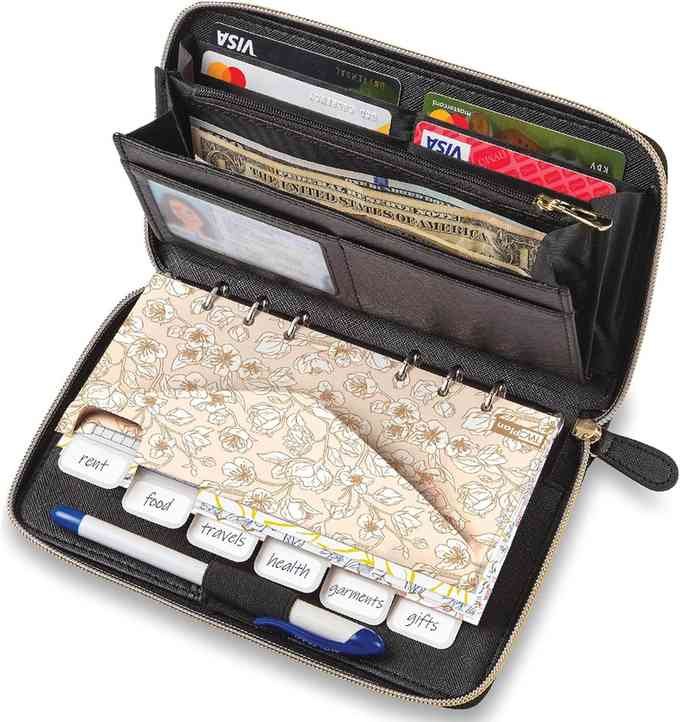
This Cash Envelope Wallet is an all-in-one budgeting system designed to organize spending and savings. It includes 12 tabbed envelopes, monthly budget cards, and a yearly planner sheet. With RFID blocking and a compact d...
Deduction Records
This is where organization and tax advice need to be kept separate.
A document organizer doesn't determine whether something is deductible.
Instead, your system should make potentially relevant records easy to locate and review.
You might create folders such as:
- Charitable contributions
- Education
- Medical
- Business
- Home-related documents
- Investment records
- Other financial records
Whether a particular expense belongs on a tax return is a separate question. When in doubt, keep the underlying documentation until you can determine whether it should be retained.
The SentrySafe HD4100 is a fireproof and water-resistant document box designed to protect important papers and valuables. Its key lock, spacious interior, and file-folder storage make it useful for organizing financial r...
The SKYDUE Budget Binder is a practical cash-management tool designed to make budgeting easier. With zipper envelopes, cash envelopes, and expense budget sheets, it helps you organize bills, track spending, set savings g...
The Smead Portable Expanding File Box keeps important documents organized and easy to access. With 19 pockets, blank tabs, printed labels, and a secure latch closure, it offers plenty of space for sorting paperwork, bill...
Donation Records
Charitable contributions deserve their own folder if your household regularly makes donations.
Keep relevant documentation together rather than storing the receipt in one location and the payment record somewhere else.
The IRS provides specific guidance about documentation for charitable contributions, including written acknowledgments in certain situations. See the IRS guidance on charitable contribution acknowledgments .
For noncash donations, documentation requirements can differ, so don't assume that a basic receipt is always sufficient.
Business and Self-Employment Records
Households with freelancers, contractors, consultants, small-business owners or side hustles generally have more documents to organize than households with only traditional employment income.
A useful structure might be:
- Income
- Supplies
- Advertising
- Travel
- Equipment
- Professional services
- Banking
- Other expenses
Keep business records separate from household paperwork where practical.
The IRS provides recordkeeping guidance for business-related expenses and explains the importance of keeping supporting records. See the IRS recordkeeping guidance for small businesses and self-employed individuals .
The Brother P-Touch PTD210 is an easy-to-use label maker for organizing home, office, school, and storage spaces. This bundle includes four label tapes, making it convenient to create clear, customized labels for folders...
The Canon imageFORMULA R40II Receipt Edition is a versatile office document scanner designed for fast, organized digitization. It handles receipts, invoices, contracts, and other documents, helping businesses reduce pape...
The SentrySafe HD4100 is a fireproof and water-resistant document box designed to protect important papers and valuables. Its key lock, spacious interior, and file-folder storage make it useful for organizing financial r...
Medical Expense Records
Medical paperwork can become surprisingly large.
If medical records are relevant to your financial or tax situation, consider keeping a dedicated folder for:
- Medical bills
- Receipts
- Insurance statements
- Payment confirmations
- Reimbursement records
- Other relevant healthcare documentation
Don't assume that every medical expense has tax consequences. This section is about keeping records organized so you can determine what is relevant later.
Because medical documents can contain sensitive personal information, store them with appropriate privacy and security protections.
Investment Records
Investment documentation deserves special attention because transactions can span multiple years.
Depending on your investments, you may encounter:
- Brokerage statements
- Trade confirmations
- Dividend statements
- Interest statements
- Tax forms
- Purchase records
- Sale records
- Cost-basis information
- Retirement-account statements
A common mistake is to organize only the annual tax statement and discard everything else without first determining whether those records need to be retained.
For investments and other assets, record-retention considerations can extend beyond a single tax season. The IRS provides general guidance on keeping records related to property and other tax matters. Review current IRS recordkeeping guidance .
The Brother P-Touch PTD210 is an easy-to-use label maker for organizing home, office, school, and storage spaces. This bundle includes four label tapes, making it convenient to create clear, customized labels for folders...
The Canon imageFORMULA R40II Receipt Edition is a versatile office document scanner designed for fast, organized digitization. It handles receipts, invoices, contracts, and other documents, helping businesses reduce pape...
Digital vs. Physical Tax Organization
There is no need for most households to choose between paper and digital organization. For many people, a hybrid system is easier.
Physical organization works well for:
- Original documents
- Important notices
- Documents that need to be retained physically
- Records you prefer to review on paper
- Documents that need additional physical protection
Digital organization works well for:
- Receipts
- PDFs
- Statements
- Scanned documents
- Downloaded tax forms
- Electronic correspondence
The best setup is often a combination of both.
However, don't assume that scanning a document automatically means the original can be destroyed. Whether an original should be retained depends on the document and applicable requirements.
The SentrySafe HD4100 is a fireproof and water-resistant document box designed to protect important papers and valuables. Its key lock, spacious interior, and file-folder storage make it useful for organizing financial r...
Best Types of Tax Organizers
File Folders
Traditional folders are inexpensive and flexible.
They work especially well if you already have a filing cabinet.
You can create folders for:
- Income
- Expenses
- Investments
- Donations
- Medical
- Business
- Tax returns
Best for: Households with moderate paperwork.
Potential drawback: Loose folders can become difficult to manage if you accumulate a large number of documents.
Accordion Organizers
Accordion files are useful when you want multiple categories without purchasing a full filing cabinet.
A 12- or 13-pocket organizer can provide categories for an entire year.
For example:
- Income
- Receipts
- Donations
- Investments
- Medical
- Business
- Insurance
- Banking
- Property
- Tax returns
- Other
- Pending
- To scan
Best for: People who want a compact tax-season organizer.
Potential drawback: Very full accordion files can become difficult to sort through.
Tax Organizers
A dedicated tax organizer can be useful if you prefer a predefined structure.
Look for:
- Clearly labeled sections
- Space for receipts
- Multiple pockets
- Letter-size compatibility
- Room for supporting documents
- A durable closure
Best for: Households that want a dedicated annual tax folder.
Potential drawback: Generic organizers may not match your specific financial situation.
Document Boxes
Document boxes are better suited to households that need to retain larger quantities of paperwork.
They can hold:
- Previous tax returns
- Financial statements
- Insurance paperwork
- Property records
- Estate documents
- Long-term financial records
Best for: Long-term storage.
Potential drawback: A box can become a paper graveyard if documents aren't categorized.
Label Makers
A compact label maker can make physical organization much easier.
Best for: Clearly labeling folders, boxes and storage containers.
Key features to look for:
- Easy-to-read labels
- Replaceable tape
- Multiple font and formatting options
- Compact design
- Simple controls
Important limitation: A label maker doesn't solve the underlying filing problem. Decide on your categories before labeling everything.
Scanners
A portable document scanner can be useful if you regularly turn paper receipts and statements into digital files.
Best for: People who want to reduce paper clutter.
Key features to look for:
- Portable design
- Document scanning
- Computer connectivity
- Compatibility with your operating system
- Appropriate resolution for your documents
Important limitation: Scanning documents creates another responsibility—securely storing and backing up the digital files.
Shredders
A personal cross-cut shredder can be useful for securely disposing of documents that no longer need to be retained.
Best for: Households regularly handling sensitive paperwork.
Key features to look for:
- Cross-cut shredding
- Appropriate sheet capacity
- Bin size
- Overheat protection
- Security level appropriate to your needs
Important limitation: Shredders have capacity limits and may require cooldown periods depending on the model.
Fireproof Document Storage
A fire-resistant document box or safe can be useful for documents that would be difficult or expensive to replace.
Potentially important documents can include:
- Identity documents
- Property documents
- Insurance information
- Estate documents
- Financial records
- Copies of important legal paperwork
Best for: Protecting critical physical documents.
Important limitation: Fire resistance does not necessarily mean waterproof, theft-proof or suitable for every type of document.
Check the manufacturer's current specifications and protection ratings before purchasing.
The SentrySafe HD4100 is a fireproof and water-resistant document box designed to protect important papers and valuables. Its key lock, spacious interior, and file-folder storage make it useful for organizing financial r...
The Smead Portable Expanding File Box keeps important documents organized and easy to access. With 19 pockets, blank tabs, printed labels, and a secure latch closure, it offers plenty of space for sorting paperwork, bill...
Useful Products for a Home Tax-Organization System
Brother P-touch Label Maker
Best for: Clearly labeling folders, boxes and storage containers.
Key features to look for: Easy-to-read labels, replaceable tape, multiple formatting options and a compact design.
Important limitation: A label maker does not replace a well-designed filing system.
Who should consider it: Households with multiple document boxes, folders or financial categories.
Who may want something else: People with only one or two folders who don't need extensive labeling.
Epson WorkForce ES-60W Portable Scanner
Best for: People who want to reduce paper clutter.
Key features to look for: Portable scanning, computer connectivity and compatibility with your operating system.
Important limitation: Scanning documents creates another responsibility—securely storing and backing up the digital files.
Who should consider it: Households with substantial paper documentation.
Who may want something else: People who rarely scan documents and already have a reliable multifunction printer.
Fellowes Powershred Personal Shredder
Best for: Households regularly handling sensitive paperwork.
Key features to look for: Cross-cut shredding, appropriate sheet capacity, bin size and overheat protection.
Important limitation: Shredders have capacity limits and may require cooldown periods depending on the model.
Who should consider it: Households that regularly dispose of financial documents.
Who may want something else: People who rarely handle paper or prefer a professional document-shredding service.
Smead Accordion File Organizer
Best for: Annual tax-season organization.
Key features to look for: Multiple compartments, letter-size compatibility, durable construction and secure closure.
Important limitation: Capacity can become an issue when storing several years of records.
Who should consider it: Households that want an inexpensive, portable paper organizer.
Who may want something else: People with extensive business or investment records who need a larger filing system.
Fireproof Document Storage
Best for: Protecting critical physical documents.
Key features to look for: Appropriate fire-resistance rating, suitable capacity, secure closure and construction appropriate for your storage needs.
Important limitation: Fire resistance does not necessarily mean waterproof, theft-proof or suitable for every type of document.
Who should consider it: Households with important original documents.
Who may want something else: People who have minimal physical records and already maintain secure digital copies.
The SentrySafe HD4100 is a fireproof and water-resistant document box designed to protect important papers and valuables. Its key lock, spacious interior, and file-folder storage make it useful for organizing financial r...
The Smead Portable Expanding File Box keeps important documents organized and easy to access. With 19 pockets, blank tabs, printed labels, and a secure latch closure, it offers plenty of space for sorting paperwork, bill...
Tax Organization Setup by Household Type
| Household Type | Best For | What to Look For |
|---|---|---|
| Simple finances | Accordion organizer + digital folder | Easy annual filing |
| Family household | File system + scanner | Multiple categories |
| Investor | Digital archive + physical backup | Long-term transaction records |
| Self-employed | Dedicated business folders | Income and expense separation |
| High paperwork | Filing cabinet + scanner | Capacity and searchability |
The Canon imageFORMULA R40II Receipt Edition is a versatile office document scanner designed for fast, organized digitization. It handles receipts, invoices, contracts, and other documents, helping businesses reduce pape...
This Cash Envelope Wallet is an all-in-one budgeting system designed to organize spending and savings. It includes 12 tabbed envelopes, monthly budget cards, and a yearly planner sheet. With RFID blocking and a compact d...
The Fellowes Powershred 12-Sheet Cross-Cut Paper Shredder is a practical choice for home offices and small workspaces. It securely shreds documents into small particles, helping protect sensitive information while handli...
A Simple Digital Tax Folder Structure
A good digital filing system doesn't need dozens of folders.
Personal Finance
└── Taxes
    ├── 2026
    │   ├── 01 Income
    │   ├── 02 Receipts
    │   ├── 03 Donations
    │   ├── 04 Investments
    │   ├── 05 Medical
    │   ├── 06 Business
    │   ├── 07 Tax Return
    │   └── 08 Other
    └── 2025
The numbering keeps folders in a predictable order on your computer or cloud drive.
For files, use a standard naming convention such as YYYY-MM-DD_Document-Type_Name_Amount .
For example:
- 2026-02-15_Donation_Red-Cross_250.pdf
- 2026-01-31_Brokerage_Statement.pdf
Consistency matters more than the exact naming system.
The Canon imageFORMULA R40II Receipt Edition is a versatile office document scanner designed for fast, organized digitization. It handles receipts, invoices, contracts, and other documents, helping businesses reduce pape...
The SentrySafe HD4100 is a fireproof and water-resistant document box designed to protect important papers and valuables. Its key lock, spacious interior, and file-folder storage make it useful for organizing financial r...
How to Build a Tax Document System in One Afternoon
Step 1: Gather everything
Bring together paper tax documents, receipts, statements, mail, downloaded files and important email attachments.
Step 2: Separate by year
Don't mix 2024, 2025 and 2026 documents into one pile.
Step 3: Separate active and archived documents
Create one location for the current tax year and another for older records.
Step 4: Sort the current year
Use categories such as income, expenses, donations, investments, medical, business and tax returns.
Step 5: Scan important paperwork
Digitize documents where doing so makes sense.
Step 6: Back up digital files
A single copy on a laptop isn't a strong document-management strategy.
Step 7: Secure sensitive records
Use appropriate physical and digital security for financial and identity documents.
Step 8: Shred what you no longer need
Don't let discarded financial paperwork become a privacy problem.
How Long Should You Keep Tax Documents?
This is an area where a simple rule can be misleading.
IRS guidance generally ties record retention to the period in which records may be needed to administer tax law. The applicable period can vary depending on the type of record and circumstances.
The IRS also explains that different situations can require different record-retention periods. Property-related records, employment tax records and other documents may have different considerations.
Don't label a box “Shred After 3 Years” and assume everything inside qualifies.
Instead, identify the type of document and check current IRS recordkeeping guidance before disposing of records.
Common Tax-Organization Mistakes
Keeping Everything in One Box
A box labeled “Taxes” isn't an organization system. If you have to empty the entire box to find one receipt, the system isn't doing enough work for you.
Mixing Years
Keep tax years separate. This makes both retrieval and eventual disposal easier.
Relying Only on Email
Important documents can disappear into an inbox. Download important records and place them into your organized financial archive.
Scanning Without Backups
A scanned document is useful only if you can still access it. Keep backups appropriate to the importance of the records.
Destroying Originals Too Quickly
Scanning doesn't automatically mean the original can be discarded. Check the requirements that apply to the specific document.
Buying Too Many Organizers
A large collection of organizers won't help if your filing system is confusing. Start with a simple structure and buy additional storage only when you know what you need.
How to Choose the Right Tax Organizer
Ask yourself these five questions:
- How much paper do I actually have? If the answer is one small folder, don't buy a large filing cabinet.
- How complicated are my finances? Investments, self-employment, multiple income sources and property ownership can create more documentation.
- Do I prefer paper or digital records? If you're comfortable with PDFs, invest more in scanning and digital organization. If you prefer paper, a filing system may be more useful.
- Do I share finances with another person? If so, make the categories intuitive enough that both people can find documents.
- Do I need long-term storage? If you're retaining several years of important documents, consider document boxes or a dedicated filing cabinet rather than a small accordion folder.
Who Should Buy a Dedicated Tax Organizer?
A dedicated organizer makes sense if:
- You frequently misplace receipts.
- Your tax paperwork arrives from multiple sources.
- You have several income sources.
- You have investments.
- You run a side business.
- You prefer paper records.
- You want a dedicated annual tax file.
Who Can Skip One?
You may not need a dedicated tax organizer if:
- Nearly everything is digital.
- Your finances are straightforward.
- You already have a reliable filing system.
- You rarely receive paper documents.
In that situation, a well-designed digital folder system may be all you need.
Alternatives to Traditional Tax Organizers
Digital-Only System
Best for people comfortable with cloud storage, PDFs and electronic statements.
Filing Cabinet
Better for households with substantial physical paperwork.
Portable Accordion File
Useful for renters, students, frequent movers or people who want a compact system.
Document Box
Better for long-term storage than everyday access.
Professional Bookkeeping System
More appropriate for households or businesses with significant transaction volume.
Frequently Asked Questions
What is the best way to organize tax documents at home?
A simple system is to separate documents by tax year and then by category, such as income, expenses, investments, donations, medical records and business documents. Use physical folders for paper documents and matching digital folders for scanned or downloaded records. The system should make it easy to locate a document without searching through an entire box.
Should I keep tax documents digitally or physically?
A hybrid system is practical for many households. Digital copies make documents easier to search and back up, while physical copies may still be appropriate for certain original or important documents. Don't assume that every paper document can be destroyed after scanning.
Do I need a special tax organizer?
No. A tax organizer is simply a storage and categorization tool. An accordion folder, filing cabinet, document box or digital folder structure can accomplish the same basic organizational goal. The best choice depends on how much paperwork you have and whether you prefer physical or digital records.
How should I organize receipts for taxes?
Create a dedicated receipt category and separate receipts by year. For digital receipts, use consistent filenames and folders. For paper receipts, consider scanning them if appropriate and storing the physical documents according to your recordkeeping needs. For expenses where documentation matters, keep supporting information together rather than storing receipts without context.
Should investment documents be kept separately?
Usually, separating investment records from ordinary household receipts makes them easier to manage. Brokerage statements, transaction records and other investment documentation can span multiple years, so a dedicated investment folder can be useful. The appropriate retention period depends on the type of record and your circumstances.
How should self-employed people organize tax documents?
Self-employed individuals can benefit from separating business income and expenses from personal household records. Categories might include income, supplies, advertising, travel, equipment, professional services and banking. The IRS emphasizes timely records and supporting documentation for certain business expenses.
Are charitable donation receipts important to keep?
If charitable contributions are relevant to your tax situation, keep the records associated with them. IRS guidance specifies documentation requirements for monetary charitable contributions, including records or qualifying written communications containing relevant information about the contribution. Check current IRS guidance for your specific situation.
How often should I organize tax documents?
A monthly or quarterly review is easier than waiting until tax season. A useful routine is to file documents as they arrive, scan paperwork periodically, and perform a more complete review at the end of the year. That reduces the amount of sorting required when preparing your tax return.
Final Thoughts
A good tax-document system should make your financial life easier, not create another project to maintain.
For a household with relatively simple finances, an accordion organizer, a few labeled folders and a secure digital archive may be enough. More complicated finances may justify a filing cabinet, scanner, shredder and secure document storage.
The important part is the system: one place for the current year, clear categories, consistent filenames, secure backups and a deliberate process for deciding when documents can be discarded.
For broader financial organization, budgeting and career planning resources, visit the CoreAdorn Personal Finance & Career hub .
This article is intended for general organizational information and is not tax, legal, accounting or financial advice . Tax rules and recordkeeping requirements can change, and individual circumstances differ. Consult current IRS guidance or a qualified tax professional for questions about your situation.
CoreAdorn is reader-supported. When you buy through links on our site, we may earn an affiliate commission.
0 Comments
Be the first to comment.
Leave a comment
Please use kind words and keep your comment on topic. Comments are reviewed by the CoreAdorn team before they appear.