
Best AI Smart Glasses for Work and Productivity: What to Know Before You Buy
AI smart glasses can make calls, meetings, research, note-taking, and everyday work more hands-free. This guide explains what to look for, which features actually matter, and how to choose AI glasses based on your work style, comfort, privacy needs, and budget.

AI smart glasses are moving beyond the novelty stage. For some professionals, they can already take care of small tasks that normally require reaching for a phone: answering a call, setting a reminder, capturing a photo, asking a quick question, or getting help understanding something in front of you.
But buying AI glasses for work is not as simple as choosing the model with the longest feature list. A salesperson, software developer, field technician, manager, and remote worker may all need something completely different.
The right question is not "Which AI glasses are the best?"
It is:
"Which AI glasses will actually make my workday easier?"
This guide focuses on that question. We'll look at the features that matter for work, where AI glasses are genuinely useful, where they still fall short, and what to check before spending several hundred dollars.
Quick Answer: What Are the Best AI Smart Glasses for Work?
There isn't one pair of AI glasses that makes sense for every type of job.
Your priorities should depend on how you work:
- Office workers: Look for comfortable frames, good microphones, calls, voice commands, reminders, and reliable phone integration.
- Remote workers: Calls, messaging, voice notes, notifications, and hands-free AI assistance are likely to matter most.
- Sales professionals: Camera, calls, navigation, voice notes, and hands-free communication can be particularly useful.
- Field workers: Camera-based AI, durability, battery life, and hands-free operation deserve more attention.
- Privacy-conscious professionals: Camera-free models may be a better fit.
- People who need information in front of their eyes: Display-equipped glasses are worth considering.
- Prescription-glasses wearers: Prescription lens compatibility and frame fit should be checked before anything else.
If you're still figuring out what type of AI glasses you need, start with our AI Smart Glasses Buying Guide: What to Know Before You Buy. It covers the broader buying decision before you narrow it down to a specific use case.
What Are AI Smart Glasses for Work?
AI smart glasses combine ordinary eyewear with technology such as microphones, speakers, cameras, wireless connectivity, and an AI assistant.
Depending on the model, you may be able to ask questions, make calls, send messages, capture photos, record video, translate text, set reminders, or ask the AI to explain something you're looking at.
There is an important difference between the various types of smart glasses, though.
Some are essentially AI-powered audio glasses with a camera . You speak to the assistant and hear its response through built-in speakers.
Others include a display , allowing information to appear in your field of view.
When you buy through links on our site, we may earn an affiliate commission at no extra cost to you. This helps support our work.
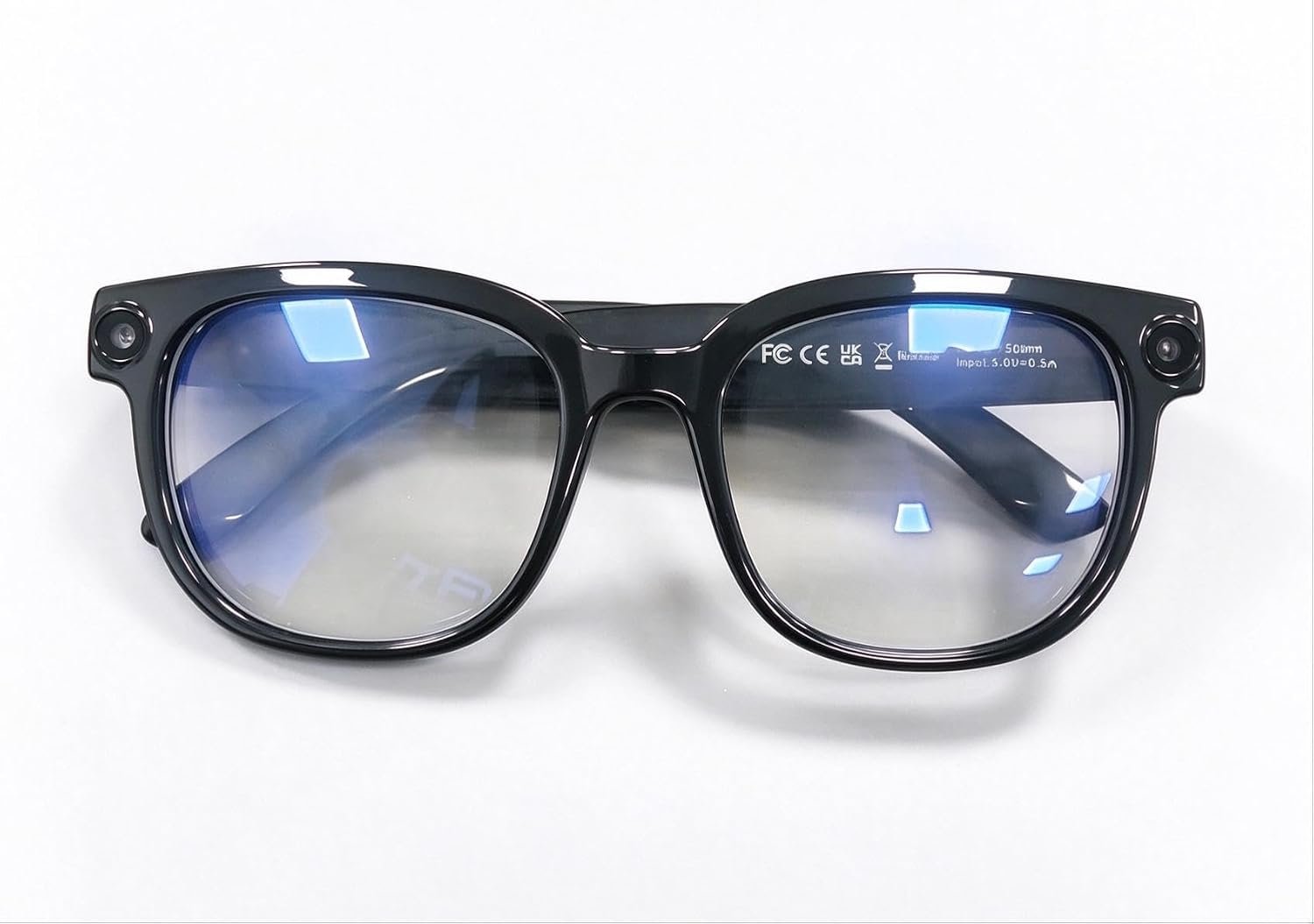
AI Smart Glasses feature a built-in camera with 4K anti-shake video, open-ear audio, transition lenses, and object recognition. Designed for everyday use, they combine hands-free photography, clear calls, smart visual as...
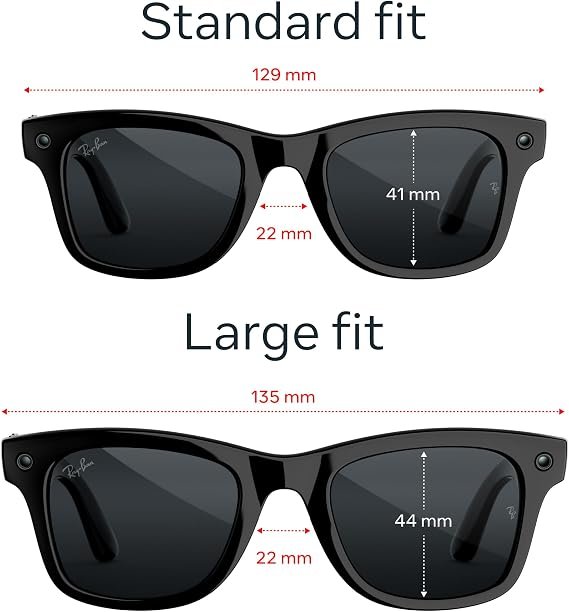
Meta Ray-Ban Gen 3 Wayfarer Large combines a classic matte black frame with clear lenses and smart AI features. Built-in camera, open-ear audio, hands-free controls and AI assistance make these glasses a practical choice...
What Can AI Smart Glasses Actually Do for Productivity?
The useful part of AI glasses isn't the technology itself. It's the small interruptions they can remove from your day.
Think about how often you stop working to:
- Check your phone
- Look up a piece of information
- Answer a call
- Set a reminder
- Write down an idea
- Take a picture
- Translate something
- Check directions
AI glasses can handle some of these tasks without requiring you to stop what you're doing.
Make and Answer Calls
Built-in microphones and open-ear speakers let you take calls without holding your phone.
That can be handy when you're walking between meetings, working with your hands, visiting a customer, or moving around a job site.
Don't judge this feature by the speaker quality alone. Microphone performance matters just as much, especially if you regularly work outdoors or in noisy environments.
Ask an AI Assistant Questions
Voice interaction is one of the simplest reasons to use AI glasses.
You can ask a question without pulling out your phone. For example:
"What does this technical term mean?"
"Remind me to call John at 3 PM."
"Translate this into Spanish."
These aren't complicated tasks. That's exactly why they can be useful. You don't have to interrupt what you're doing for something that takes only a few seconds.
Capture Photos and Video
Camera-equipped glasses make first-person photos and video much easier to capture.
Depending on your job, that could be useful for:
- Site inspections
- Product demonstrations
- Real estate walkthroughs
- Training material
- Customer visits
- Equipment documentation
- Field service
There's an obvious downside: a camera on your face can create privacy issues. We'll get into that later.
Capture Voice Notes
Good ideas rarely arrive when you're sitting in front of a keyboard.
Being able to say something out loud and save it as a note can be useful for:
- Meeting ideas
- Customer observations
- Follow-up tasks
- Project reminders
- Content ideas
- Personal to-do lists
For people who spend much of their day away from a desk, this can be more useful than some of the flashy features manufacturers advertise.
Translate Text and Conversations
Translation is another practical use case, particularly for people who work with international customers or travel frequently.
If travel is a major part of your work, our Best AI Smart Glasses for Travel guide covers the features that matter when you're using smart glasses outside your normal work environment.
Who Can Benefit From AI Smart Glasses at Work?
AI glasses aren't just for people sitting behind a desk. In fact, some of the more interesting use cases are outside the traditional office.
AI Smart Glasses for Office Work
For office workers, the biggest benefit may simply be fewer interruptions.
Calls, reminders, voice notes, quick questions, messages, and translations can often be handled without picking up a phone.
For this type of use, don't get distracted by camera megapixels or other headline specifications. Comfort, microphones, speakers, battery life, AI response quality, and phone compatibility may matter much more.
If your main priority is finding glasses specifically for a traditional office environment, look for a model that is comfortable enough to wear for several hours and doesn't require you to constantly reach for your phone.
AI Smart Glasses for Meetings
Meetings are an interesting use case, but there are some obvious limits.
Depending on the glasses, you may be able to use them for:
- Calls
- Voice notes
- Translation
- AI assistance
- Notifications
- Recording, where permitted
Recording deserves special attention. A pair of glasses may technically be capable of recording a meeting, but that doesn't mean you should do it.
Company policies, customer agreements, confidentiality requirements, and applicable recording laws all need to be considered.
If meetings are your main reason for considering smart glasses, prioritize microphone quality, call performance, comfort, and privacy rather than simply choosing the model with the most AI features.
AI Smart Glasses for Calls
If you spend hours on the phone, prioritize the basics.
- Clear microphones
- Good speaker quality
- Background-noise handling
- Comfortable frames
- Reliable Bluetooth connectivity
- Simple call controls
- Battery life that fits your workday
A pair of glasses that looks impressive but produces poor call quality won't be much use to someone who spends half the day talking to customers.
AI Smart Glasses for Remote Work
Remote workers can use AI glasses as a second interface to their phone and computer.
They can be useful for calls, messages, reminders, voice notes, quick questions, and other small tasks while you're away from your desk.
They won't replace your laptop for serious work. Writing code, working on spreadsheets, editing documents, managing databases, and handling complex projects are still much easier on a proper computer.
For remote workers, the real benefit is convenience. You can keep your primary computer available for focused work while using the glasses for smaller tasks that don't need a full screen.
AI Smart Glasses for Field Work
This is where the concept becomes particularly interesting.
Imagine a technician inspecting equipment while keeping both hands free. Instead of stopping to pull out a phone, they could potentially ask a question, capture an image, document an issue, or access information using voice commands.
Potential applications include:
- Equipment inspection
- Maintenance
- Construction
- Real estate
- Logistics
- Sales visits
- Service calls
- Training
- Site documentation
Camera-based AI can be particularly useful when the information you need is right in front of you.
AI Smart Glasses feature a built-in camera with 4K anti-shake video, open-ear audio, transition lenses, and object recognition. Designed for everyday use, they combine hands-free photography, clear calls, smart visual as...
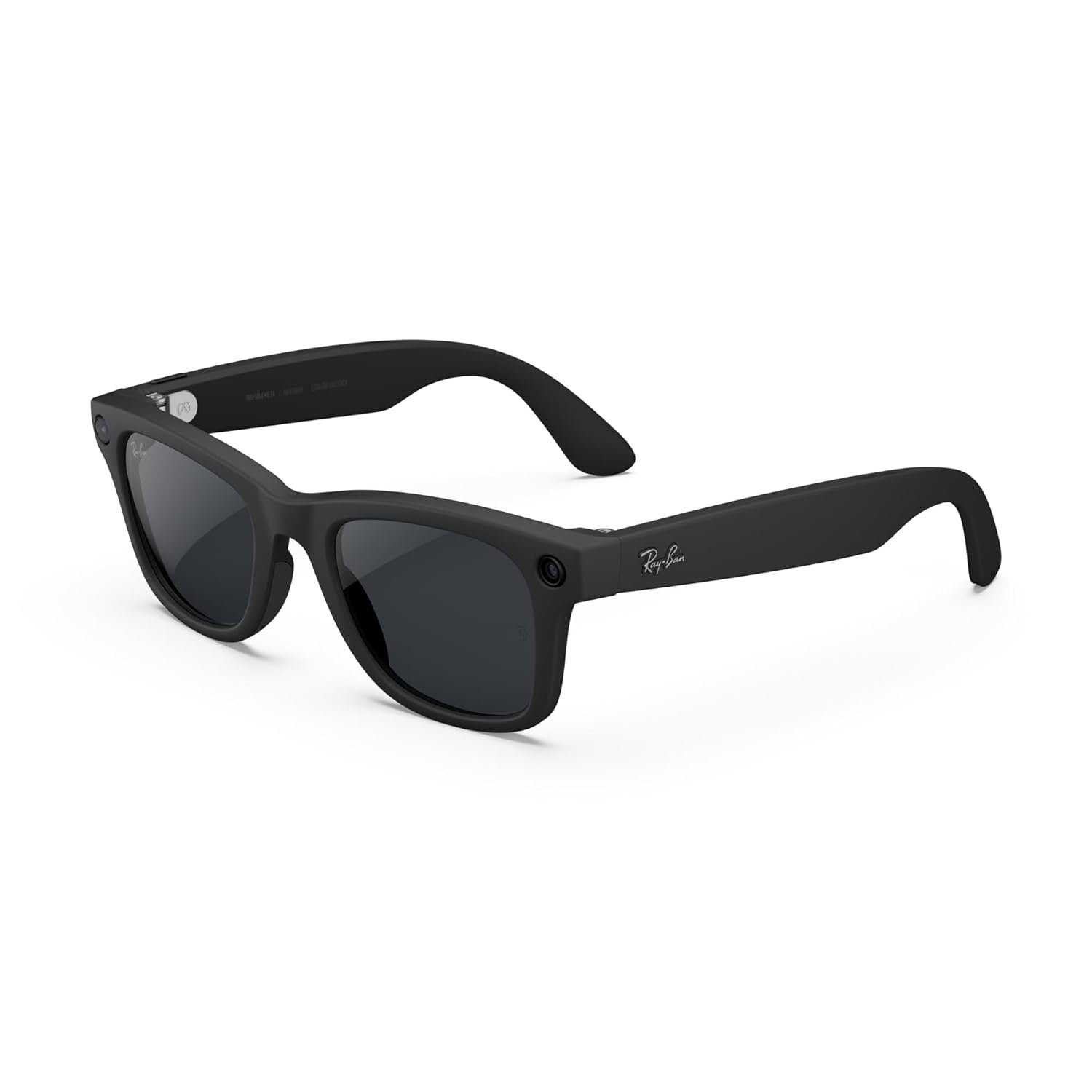
Meta Ray-Ban Gen 2 Wayfarer Smart AI Glasses combine a classic matte black frame with Transitions lenses that adapt to changing light. Built-in AI, open-ear audio, camera and hands-free controls make them practical for e...
Which AI Features Actually Matter for Productivity?
AI glasses can come with a long list of features. That doesn't mean every feature deserves your money.
AI Assistant
Check how naturally you can talk to it.
Can you ask follow-up questions? Does it understand normal speech? How quickly does it respond? Does it require your phone or an internet connection?
Those details will affect your everyday experience much more than a marketing list of AI features.
AI Vision
AI vision allows the glasses to use their camera to understand what you're looking at.
Potential uses include:
- Reading text
- Understanding signs
- Identifying objects
- Describing surroundings
- Translating visible text
- Answering questions about something in front of you
For field workers, this can be one of the more useful reasons to choose camera-equipped AI glasses.
Voice Recognition
Voice recognition needs to work outside a quiet living room.
If you work around machinery, traffic, customers, other conversations, or wind, microphone and voice-recognition performance become much more important.
Voice-to-Text
Voice-to-text is easy to overlook, but it can be extremely practical.
You can use it to capture ideas, tasks, reminders, customer observations, or quick notes without stopping to type.
Translation
Translation can be valuable for international business and travel, but check the details before buying.
Look at supported languages, whether the translation works in real time, whether an internet connection is required, and whether the result is delivered through audio, a display, or both.
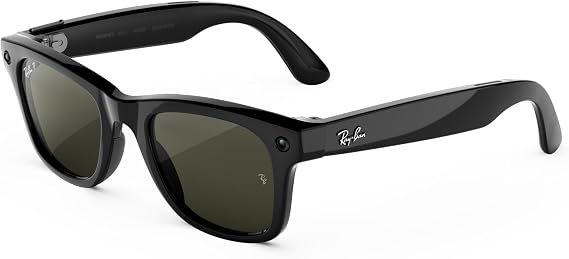
Meta Ray-Ban Gen 3 Wayfarer features a classic matte black frame with clear lenses and built-in smart capabilities. Its stylish design combines everyday eyewear with hands-free audio, AI assistance and camera features, m...
Audio AI Glasses vs. Display AI Glasses
This is one of the most important decisions you'll make.
Audio-focused AI glasses
These generally rely on speakers, microphones, voice commands, AI assistants, and a connected smartphone.
They're a good fit if your main needs are:
- Calls
- Music
- Voice assistance
- Reminders
- AI questions
- Hands-free communication
Display-equipped AI glasses
Display glasses take the idea further by putting information directly in your field of view.
Depending on the product, you may get things such as:
- Notifications
- Navigation
- Translation
- Text
- Prompts
- Other visual information
The trade-off is that displays can add cost, weight, power consumption, and complexity.
Meta Ray-Ban Gen 3 Wayfarer features a classic matte black frame with clear lenses and built-in smart capabilities. Its stylish design combines everyday eyewear with hands-free audio, AI assistance and camera features, m...
Can AI Glasses Replace Your Phone or Laptop?
For most people, no.
Think of AI glasses as another way of interacting with your digital tools, not as a replacement for all of them.
They're well suited to:
- Calls
- Quick questions
- Reminders
- Voice notes
- Navigation
- Translation
- Photos
- Short messages
Your phone or computer is still better for:
- Long emails
- Spreadsheets
- Programming
- Photo editing
- Video editing
- Complex research
- Large documents
- Detailed project management
For most professionals, the realistic setup is computer + smartphone + AI glasses , not AI glasses replacing everything else.
Meta Ray-Ban Gen 3 Wayfarer Large combines a classic matte black frame with clear lenses and smart AI features. Built-in camera, open-ear audio, hands-free controls and AI assistance make these glasses a practical choice...
Privacy and Workplace Concerns
This is one area where you shouldn't rely solely on the manufacturer's feature list.
A camera on your face can be useful, but it can also create uncomfortable situations at work.
Before using camera-equipped AI glasses, ask:
- Does my employer allow camera-equipped wearables?
- Can I use them around customers?
- Am I handling confidential information?
- Could private documents appear in the camera's view?
- Is there a visible recording indicator?
- Where are photos and videos stored?
- How is AI data processed?
- Does the product send information to cloud services?
If your job involves confidential meetings, customer information, sensitive documents, or restricted environments, these questions should come before camera resolution or AI features.
Meta Ray-Ban Gen 2 Wayfarer Smart AI Glasses combine a classic matte black frame with Transitions lenses that adapt to changing light. Built-in AI, open-ear audio, camera and hands-free controls make them practical for e...
Meta Ray-Ban Gen 3 Wayfarer Large combines a classic matte black frame with clear lenses and smart AI features. Built-in camera, open-ear audio, hands-free controls and AI assistance make these glasses a practical choice...
Comfort Matters More Than You Think
A pair of AI glasses can have an impressive specification sheet and still end up sitting in a drawer if they're uncomfortable.
For work, check:
- Frame weight
- Nose bridge comfort
- Frame size
- Temple pressure
- Battery weight
- Heat
- Prescription compatibility
- Lens options
If you already wear prescription glasses, don't assume every smart-glasses frame can accommodate your lenses.
Battery Life and Charging
Battery life is easy to underestimate.
Manufacturers normally quote battery figures under specific conditions. Your real-world usage may be very different.
Battery consumption can increase significantly when you're using:
- AI features frequently
- The camera
- Video recording
- Phone calls
- Music
- A display
- Wireless connectivity
Someone who asks the AI two questions during the day will have a very different experience from someone who records video and makes calls for hours.
Also check whether the glasses come with a charging case. For people who spend the day away from a desk, that can be just as important as the advertised battery capacity.
AI Smart Glasses feature a built-in camera with 4K anti-shake video, open-ear audio, transition lenses, and object recognition. Designed for everyday use, they combine hands-free photography, clear calls, smart visual as...
Phone and Computer Compatibility
Before buying, check what the glasses actually work with.
Look for compatibility with:
- iPhone
- Android
- Bluetooth
- Companion apps
- Messaging services
- Calling services
- Calendar and productivity tools
Some features may require a smartphone connection, a particular app, or an internet connection.
If you're heavily invested in one phone ecosystem, verify compatibility before you buy rather than discovering limitations afterward.
Meta Ray-Ban Gen 2 Wayfarer Smart AI Glasses combine a classic matte black frame with Transitions lenses that adapt to changing light. Built-in AI, open-ear audio, camera and hands-free controls make them practical for e...
Meta Ray-Ban Gen 3 Wayfarer features a classic matte black frame with clear lenses and built-in smart capabilities. Its stylish design combines everyday eyewear with hands-free audio, AI assistance and camera features, m...
AI Smart Glasses vs. Earbuds + Smartphone
This is probably the most practical question to ask before spending a few hundred dollars on smart glasses.
You may already own wireless earbuds and a smartphone. So what exactly are the glasses adding?
Earbuds + Smartphone
- Usually less expensive
- Familiar controls
- Large screen available when needed
- Broad app support
- No camera on your face
AI Smart Glasses
- Hands-free camera
- First-person photography
- AI vision
- Voice interaction without reaching for your phone
- Open-ear audio
- Potential display-based interaction
If you don't need the camera, wearable AI, or hands-free form factor, your current phone and earbuds may already do most of what you need.
AI Glasses vs. AR Glasses
The terminology can get confusing because manufacturers don't always use these terms in exactly the same way.
AI glasses generally emphasize AI assistants, voice interaction, cameras, microphones, and speakers.
AR glasses focus more heavily on putting digital information into your field of view.
Display glasses can provide a visual screen without necessarily offering the full AR experience people associate with augmented reality.
The categories are starting to overlap, so don't buy based on the label alone. Look at what the glasses actually do.
How Much Should You Spend on AI Smart Glasses?
Start with the feature you need rather than the amount you're willing to spend.
A lower-priced model may be perfectly adequate if your main requirements are calls, audio, and basic smart features.
Spending more may make sense if you need better cameras, more advanced AI, better audio, prescription options, or a display.
Ask yourself:
Which feature will I use every week?
That is a much better buying question than simply looking for the model with the longest list of specifications.
AI Smart Glasses feature a built-in camera with 4K anti-shake video, open-ear audio, transition lenses, and object recognition. Designed for everyday use, they combine hands-free photography, clear calls, smart visual as...
Meta Ray-Ban Gen 2 Wayfarer Smart AI Glasses combine a classic matte black frame with Transitions lenses that adapt to changing light. Built-in AI, open-ear audio, camera and hands-free controls make them practical for e...
Who Should Not Buy AI Smart Glasses?
AI glasses aren't automatically useful for everyone.
You may want to skip them if:
- You don't like wearing glasses
- Your workplace doesn't permit camera-equipped devices
- You mainly need a large screen
- You rarely use voice assistants
- Your phone and earbuds already solve your needs
- You expect the glasses to replace your laptop
- You work with highly confidential information
- You're uncomfortable with cloud-connected AI services
Sometimes the best buying decision is realizing that you don't actually need another device.
How to Choose AI Glasses for Your Job
Before you buy, run through this checklist.
1. Do you need a camera?
If you want first-person photos, video, or camera-based AI, you'll need one. If you don't, a camera-free model may make more sense.
2. Do you need a display?
If you want navigation, notifications, text, or information directly in your field of view, look at display-equipped glasses.
3. Do you make a lot of calls?
Put microphone and speaker quality near the top of your list.
4. Do you work outdoors?
Look at durability, battery life, comfort, visibility, and weather resistance.
5. Do you work with customers?
Consider privacy, recording indicators, and your employer's policies.
6. Do you need AI vision?
If you want the glasses to understand what you're looking at, camera hardware and multimodal AI capabilities become important.
7. Do you wear prescription glasses?
Check prescription lens support before choosing a frame.
8. Will you wear them for hours?
Prioritize weight, fit, comfort, battery life, and charging.
9. Do you need visual information?
If yes, focus on display-equipped products rather than choosing an audio-only model simply because it has a strong AI assistant.
10. Does your phone support them?
Check iPhone or Android compatibility and any required companion applications.
AI Smart Glasses Buyer Decision Path: Which Type Is Right for You?
If you're still unsure which type of AI smart glasses makes sense for your work, start here. You don't need to compare every feature. Answer these questions based on how you actually plan to use the glasses.
Step 1: Do you need a camera?
Yes: Look at camera-equipped AI glasses.
Choose this route if you want to take first-person photos or videos, use camera-based AI, read or understand things in front of you, or document your work hands-free.
No: Continue to the next question.
Step 2: Do you need to see information in front of your eyes?
Yes: Consider display-equipped AI glasses.
This makes sense if you want information such as notifications, navigation, prompts, translations, or other visual information without looking down at your phone.
No: Audio-focused AI glasses may be enough.
Step 3: Is hands-free calling one of your main reasons for buying?
Yes: Put microphone and speaker quality near the top of your list.
Look for comfortable open-ear audio, reliable Bluetooth connectivity, good microphones, and battery life that can handle your typical workday.
No: Continue.
Step 4: Do you need AI to understand what you're looking at?
Yes: Choose glasses with a camera and suitable AI vision capabilities.
This can be useful for reading text, identifying objects, understanding signs, translating visible information, or getting answers about something you're looking at.
No: You may not need camera-based AI.
Step 5: Do you work mainly at a desk?
Yes: Focus on comfort, calls, voice interaction, notifications, reminders, and smartphone integration.
You probably don't need the most rugged glasses or the highest camera specifications unless you have a specific reason for them.
No: If you spend significant time outdoors or moving between locations, pay more attention to durability, battery life, camera performance, connectivity, and visibility.
Step 6: Do you work with customers, confidential information, or sensitive data?
Yes: Make privacy part of the buying decision.
Check your employer's policy before using camera-equipped glasses. Consider where photos and recordings are stored, how AI processing works, and whether the device has a visible recording indicator.
No: Camera-equipped options remain available.
Step 7: Do you wear prescription glasses?
Yes: Check prescription lens support before choosing a model.
No: You have more flexibility in choosing the frame.
Step 8: Will you wear the glasses for several hours a day?
Yes: Prioritize comfort over extra features.
Pay attention to frame weight, nose pressure, temple fit, heat, battery life, and how easy the glasses are to recharge.
No: You can place more emphasis on the specific feature you're buying them for.
Step 9: Do you travel frequently for work?
Yes: Look for strong battery life, calls, translation, navigation, camera functionality, and easy phone connectivity.
Our Best AI Smart Glasses for Travel guide covers travel-specific use cases in more detail.
No: Focus on the features that match your normal workplace.
Step 10: What is the one task you most want to make easier?
This is the final and most important question.
- "I want easier calls." Prioritize audio, microphones, comfort, and battery life.
- "I want hands-free AI." Prioritize the AI assistant, voice recognition, and smartphone integration.
- "I want AI to understand what I'm seeing." Look for camera-based AI and AI vision.
- "I want to capture my work without using my phone." Look for a good camera and convenient controls.
- "I want information in front of my eyes." Look at display-equipped AI glasses.
- "I don't want a camera." Explore camera-free AI glasses.
- "I need glasses I can wear all day." Put comfort, weight, prescription options, and battery life first.
- "I travel for work." Prioritize translation, navigation, calls, camera functionality, battery life, and portability.
A Simple AI Smart Glasses Buying Path
Need a camera?
Yes -> Camera-equipped AI glasses
No -> Camera-free AI glasses may be enough
Need information displayed in front of your eyes?
Yes -> Display-equipped AI glasses
No -> Audio-focused AI glasses may be simpler
Need AI to understand what you're seeing?
Yes -> Look for camera + AI vision
No -> Voice-based AI may be enough
Make lots of calls?
Yes -> Prioritize microphones, speakers, comfort, and battery
No -> Focus on your primary productivity task
Work with confidential information?
Yes -> Check workplace policies and consider camera-free options
No -> Camera-equipped options remain available
Wear prescription glasses?
Yes -> Check prescription compatibility
No -> Choose based on fit and features
The Bottom Line
You don't need the most advanced AI glasses to improve your workflow.
If you mainly want calls and voice assistance, an audio-focused pair may be all you need. If you want AI to understand the world around you, a camera becomes much more important. If you want information displayed in your field of view, you'll need to look at display-equipped models.
Start with the job you want the glasses to do. Then choose the hardware.
Best AI Smart Glasses for Different Work Needs
Instead of asking which AI glasses are universally the best, start with the task you want to improve.
Best AI Glasses for Office Work
Look for comfortable frames, reliable calls, good microphones, voice assistance, reminders, and strong smartphone integration.
Best AI Glasses for Meetings
Prioritize microphone quality, call performance, voice notes, translation, AI assistance, and privacy controls.
Best AI Glasses for Calls
Focus on open-ear audio, microphone performance, background-noise handling, comfort, Bluetooth reliability, and battery life.
Best AI Glasses for Remote Work
Look for good phone integration, calls, messaging, voice notes, notifications, and an AI assistant that is easy to access.
Best AI Glasses for Field Work
Camera quality, AI vision, durability, battery life, connectivity, and hands-free controls become more important when you're away from a desk.
Best Smart Glasses for Sports and Fitness
Sports and fitness are a different use case from office productivity, so the buying priorities change. If you're looking for glasses for running, cycling, workouts, outdoor activities, or fitness tracking, see our dedicated guide to Best Smart Glasses for Sports and Fitness.
Individual AI Smart Glasses Reviews
Once you've worked out which features matter to you, it's time to look at individual products.
When reviewing a pair of AI glasses for work, don't stop at the specifications. Look at how the product behaves during a real workday.
For each model, consider:
- AI capabilities
- Camera quality
- Audio quality
- Call performance
- Display, if available
- Battery life
- Comfort
- Prescription support
- Phone compatibility
- Privacy features
- Price
- Work-specific limitations
Are AI Smart Glasses Worth It for Work?
They can be, but only if they solve a real problem.
For one person, the biggest benefit might be taking calls without touching a phone. For another, it could be capturing field photos or asking an AI assistant about something they're looking at. Someone else may care most about a display and quick access to information.
The important thing is to start with your work rather than the technology.
Think about the three tasks you would most like to perform without reaching for your phone.
Then check whether the glasses you're considering can actually handle those tasks.
If they can, AI glasses may become a useful part of your workday. If they can't, spending more money on additional features probably won't make the purchase worthwhile.
Frequently Asked Questions
What are the best AI smart glasses for work?
The right AI smart glasses depend on your job. Office workers may prioritize calls and voice assistance, while field workers may need cameras, AI vision, durability, and hands-free controls.
Are AI smart glasses good for office work?
They can be useful for calls, reminders, voice notes, messages, translation, and quick AI assistance. They work best as a companion to a laptop and smartphone rather than replacing them.
Can AI smart glasses help with meetings?
Some models support calls, voice interaction, translation, notes, and other hands-free functions. Recording features vary by product, and workplace policies should always be followed.
Can AI smart glasses make phone calls?
Many models with built-in microphones and speakers can make and receive calls through a connected smartphone and supported services.
Can AI smart glasses take notes?
Depending on the model and software, they can be useful for capturing voice notes, reminders, and short pieces of information without using your phone or keyboard.
Can AI smart glasses read documents?
Camera-equipped models may be able to recognize and interpret visible text. Results depend on the specific hardware, software, lighting, connectivity, and AI capabilities.
Are camera-free AI glasses better for work?
They can be a better choice in workplaces where cameras create privacy or security concerns. If you need AI vision or first-person photography, however, a camera becomes necessary.
Do AI smart glasses have displays?
Some do and some don't. Many AI glasses rely on audio and voice interaction, while display-equipped models can show information directly in your field of view.
Can AI glasses replace a laptop?
No, not for most professional work. They can reduce the need to reach for a phone for small tasks, but complex work is still much easier on a laptop or desktop.
Are AI smart glasses worth buying for productivity?
They can be worthwhile if hands-free interaction solves a problem you regularly encounter. Identify the tasks you want to improve first, then choose glasses that support those tasks.
Meta Ray-Ban Gen 3 Wayfarer features a classic matte black frame with clear lenses and built-in smart capabilities. Its stylish design combines everyday eyewear with hands-free audio, AI assistance and camera features, m...
Meta Ray-Ban Gen 3 Wayfarer Large combines a classic matte black frame with clear lenses and smart AI features. Built-in camera, open-ear audio, hands-free controls and AI assistance make these glasses a practical choice...
Final Takeaway
The most useful AI smart glasses aren't necessarily the ones with the longest feature list.
They're the ones that fit naturally into the way you already work.
If you spend your day on calls, focus on audio and microphones. If you're regularly out in the field, look harder at cameras, AI vision, battery life, and durability. If privacy is a concern, camera-free options deserve a closer look. And if you want information directly in front of your eyes, you'll need to look beyond traditional audio-focused AI glasses.
Start with your workflow. Decide what you actually want the glasses to do. Then choose the technology that fits that need.
That is a much better way to buy AI smart glasses than simply buying the model with the most impressive specification sheet.
CoreAdorn is reader-supported. When you buy through links on our site, we may earn an affiliate commission.
0 Comments
Be the first to comment.
Leave a comment
Please use kind words and keep your comment on topic. Comments are reviewed by the CoreAdorn team before they appear.