
AI Smart Glasses Buying Guide: What to Know Before You Buy
Find the right AI smart glasses for your needs before spending $300–$600. Compare camera, display, AI assistant, battery, phone and prescription support, then use our practical buying checklist to choose a pair that fits how you actually work, travel and live.

If you are looking at AI smart glasses in the $300 to $600 range, it is easy to get overwhelmed.
One pair has a camera. Another has a display. Some let you talk to an AI assistant, while others focus more on calls and music. Some work with prescription lenses. Others are designed around a particular phone app or AI ecosystem.
And the biggest problem is that the term "AI smart glasses" covers products that are actually quite different from one another.
So before you spend several hundred dollars, start with a simpler question:
What do you actually want the glasses to do?
If you mainly want hands-free calls, music and voice-based AI, you probably don't need an expensive display.
If you want to take photos without pulling out your phone, a camera matters much more.
If you want directions, translated text or messages to appear in front of your eyes, you need to look specifically at display glasses.
And if you wear prescription glasses or work somewhere that does not allow cameras, those requirements can narrow your choices very quickly.
This guide will help you figure that out before you buy.
Quick Answer: Which AI Smart Glasses Do You Need?
For most buyers, the easiest way to narrow down the market is to start with the experience you want.
What you want to do What to look for Typical type Calls, music and voice AI Open-ear audio and microphones Audio + AI glasses Photos, video and visual AI Camera, microphones and AI Camera + AI glasses Navigation, translation and text in your view Built-in display Display AI glasses Display without a camera Display and microphones Camera-free display glasses If this is your first pair, don't pay extra for features you are unlikely to use.
A camera is useful if you regularly want to capture photos or ask AI about something you are looking at. A display is useful if you want information without taking out your phone. Neither is automatically better.
For many people, the best choice will simply be the pair that handles their main use case comfortably and reliably.
What Are AI Smart Glasses?
AI smart glasses are regular-looking glasses with electronics built into the frame.
Depending on the model, that can include microphones, speakers, cameras, wireless connectivity, sensors and a small display.
The useful part is not the hardware itself. It is what the hardware lets you do without reaching for your phone.
You might ask a question while walking, answer a call while carrying groceries, take a photo from your point of view, translate something you see while traveling, or listen to information through open-ear speakers.
Some glasses do much more than that. Others are surprisingly simple.
That is why comparing products based only on the phrase "AI glasses" can be misleading.
When you buy through links on our site, we may earn an affiliate commission at no extra cost to you. This helps support our work.
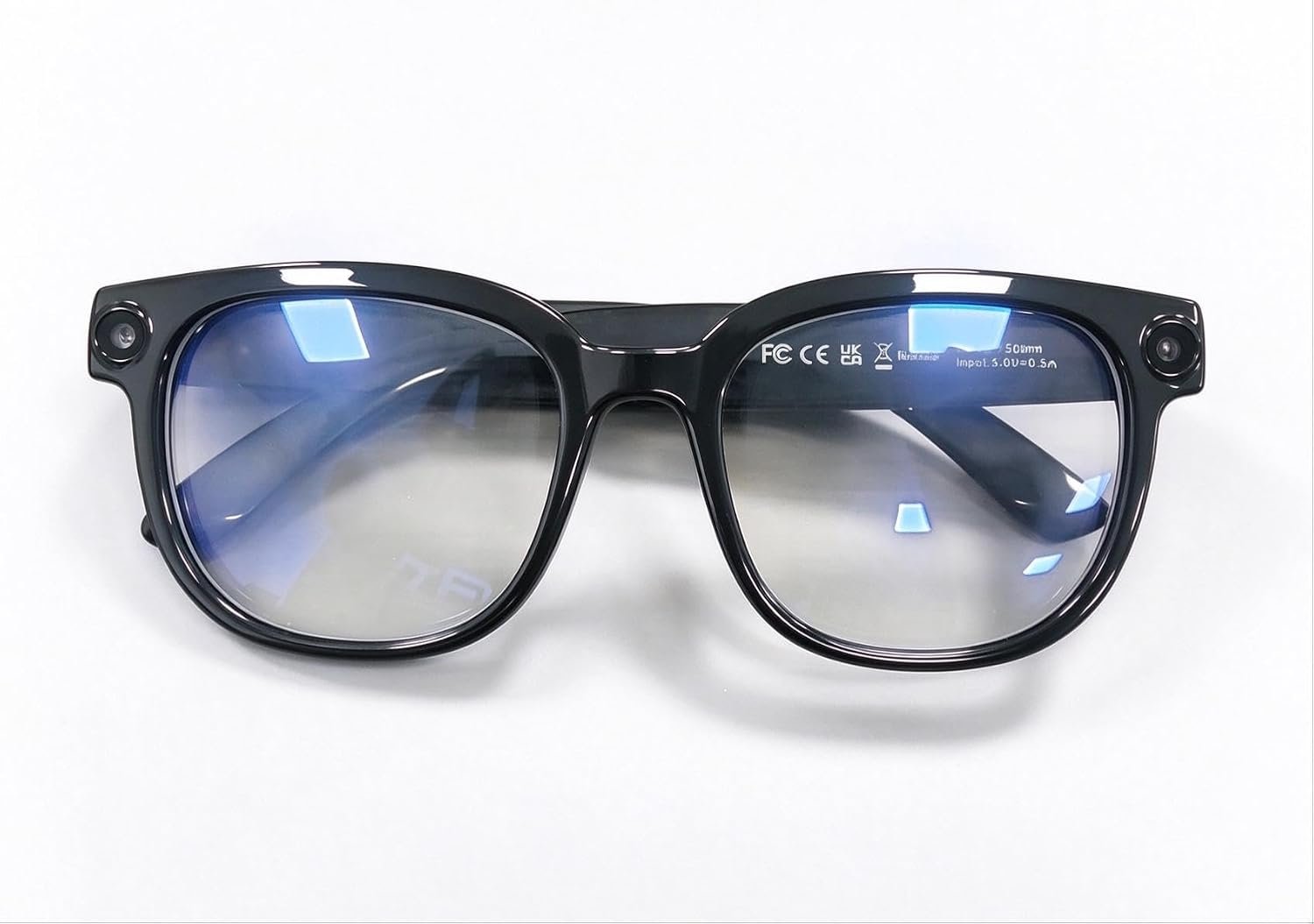
AI Smart Glasses feature a built-in camera with 4K anti-shake video, open-ear audio, transition lenses, and object recognition. Designed for everyday use, they combine hands-free photography, clear calls, smart visual as...
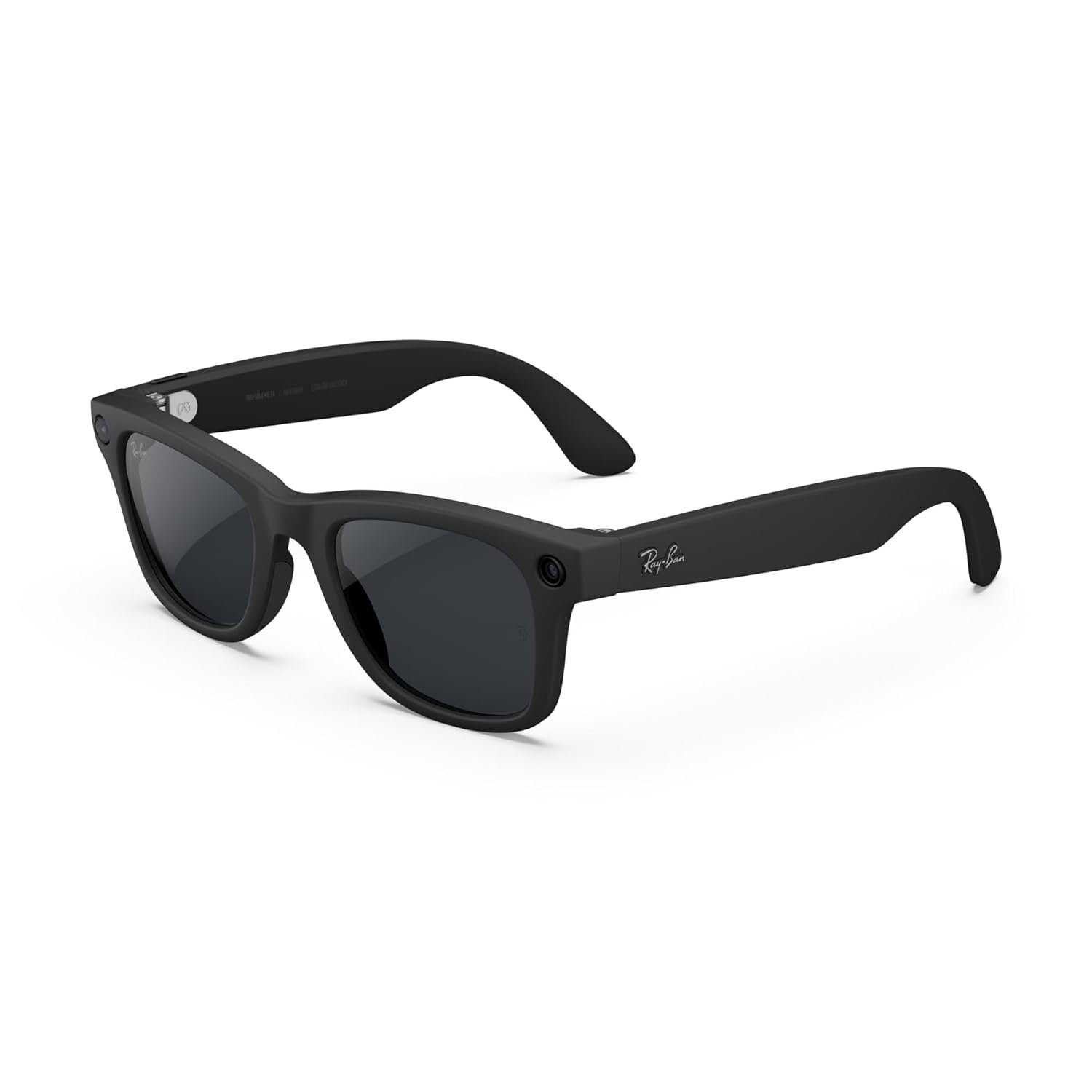
Meta Ray-Ban Gen 2 Wayfarer Smart AI Glasses combine a classic matte black frame with Transitions lenses that adapt to changing light. Built-in AI, open-ear audio, camera and hands-free controls make them practical for e...
AI Glasses vs AR vs XR Glasses
These terms are often mixed together in product listings, but they are not interchangeable.
AI glasses are generally designed around an assistant, camera, audio or lightweight display. They are meant to be worn throughout the day and used for everyday tasks.
AR glasses go further by placing digital information into your view of the real world.
XR is broader still. XR products can include augmented and virtual reality devices designed for gaming, large virtual screens and spatial computing.
For someone shopping for everyday eyewear, this distinction matters. You may want a pair of glasses that helps you answer a question while walking around New York, not a headset designed to create a virtual workspace.
Types of AI Smart Glasses
Audio + AI Glasses
These are probably the easiest smart glasses to live with.
They work much like open-ear headphones built into a pair of glasses. You can listen to music, make calls and interact with an AI assistant without putting earbuds in your ears.
There is no need for a display to make them useful.
For someone who spends a lot of time walking, commuting or working on the go, this can be enough.
The downside is obvious: if you want to actually see information in front of your eyes, audio alone won't do it.
Camera + AI Glasses
This is where smart glasses become more interesting.
A camera allows the glasses to capture photos and video from your point of view. Depending on the product and software, the camera can also be used for visual AI.
You might point your glasses at a menu and ask for help understanding it. You could look at a landmark and ask what you are seeing. Or you might simply take a photo while traveling without pulling your phone out of your pocket.
Ray-Ban Meta is one of the best-known examples of this approach.
The camera is also the reason privacy deserves more attention with this category. A tiny camera sitting on someone's face can make other people uncomfortable, particularly in offices, meetings or private spaces.
Display AI Glasses
Display glasses take a different approach.
Instead of giving you an answer through a speaker, they can put information directly into your field of view.
That can be useful for navigation, translation, notifications, reminders or a teleprompter.
The technology is considerably more complicated, though. Brightness, field of view, readability and battery life all become important.
A display that looks great inside your house may not be nearly as useful when you step outside into bright sunlight.
AR and XR Glasses
AR and XR products are worth considering if your goal is more than everyday AI assistance.
They can provide much larger virtual screens, immersive experiences and spatial computing features.
For most people looking for their first pair of AI glasses, however, they are a different type of purchase.
Meta Ray-Ban Gen 2 Wayfarer Smart AI Glasses combine a classic matte black frame with Transitions lenses that adapt to changing light. Built-in AI, open-ear audio, camera and hands-free controls make them practical for e...
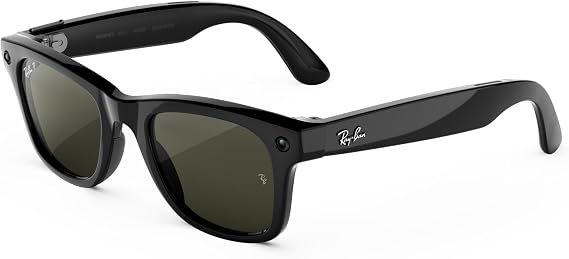
Meta Ray-Ban Gen 3 Wayfarer features a classic matte black frame with clear lenses and built-in smart capabilities. Its stylish design combines everyday eyewear with hands-free audio, AI assistance and camera features, m...
How AI Smart Glasses Actually Work
One thing that surprises first-time buyers is how dependent many smart glasses are on a phone.
The glasses usually contain the microphones, speakers, cameras and other hardware. But the phone and cloud services may handle much of the processing.
A typical interaction might look like this:
You ask a question through the glasses. The audio is sent through the companion app and an internet connection. The AI service processes the request, and the answer comes back through the glasses.
That is why the glasses themselves are only part of the purchase.
The app matters. Your phone matters. Your internet connection matters. And the AI service matters.
A pair that works beautifully with your current phone may become frustrating if the manufacturer changes its app requirements or limits certain features to particular devices or regions.
AI Features That Are Actually Useful
"AI-powered" is not a specification.
The useful question is what the AI can do for you.
For example, visual question answering can be genuinely useful when traveling. Voice interaction can be convenient when your hands are full. Translation can save you from repeatedly reaching for your phone.
On the other hand, a long list of AI features that you never use won't make the glasses better for you.
Think about what you already do with your phone and ask which of those tasks would become easier if you could do them by voice or without holding the phone.
Meta Ray-Ban Gen 3 Wayfarer features a classic matte black frame with clear lenses and built-in smart capabilities. Its stylish design combines everyday eyewear with hands-free audio, AI assistance and camera features, m...
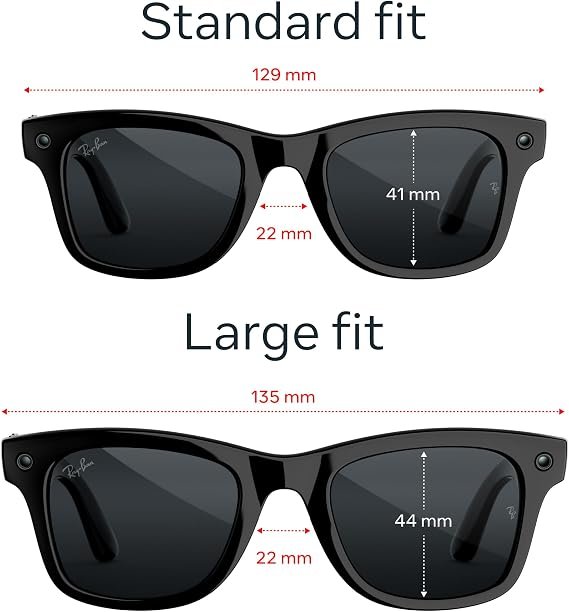
Meta Ray-Ban Gen 3 Wayfarer Large combines a classic matte black frame with clear lenses and smart AI features. Built-in camera, open-ear audio, hands-free controls and AI assistance make these glasses a practical choice...
Camera Quality
If you are buying camera glasses, don't stop at the megapixel number.
The camera is mounted on your face, which means the experience is very different from using a phone.
You should pay attention to:
- Video quality
- Stabilization
- Field of view
- Low-light performance
- Audio recording
- Maximum recording length
- Storage
- Transfer speed
- Battery drain while recording
A smart-glasses camera is excellent for capturing something as it happens. It is not necessarily a replacement for your phone camera when image quality is the priority.
That distinction matters.
If you want vacation memories from your own point of view, smart glasses can be extremely convenient. If you want carefully composed portraits or high-quality night photography, your phone or dedicated camera will still have the advantage.
Display Technology
A display is one of the features most likely to change how smart glasses feel in everyday use.
It also adds another layer of things that can go wrong.
Pay attention to:
- Resolution
- Brightness
- Field of view
- Refresh rate
- Display type
- Monocular or binocular design
- Outdoor visibility
- Text readability
Don't judge a display only from a product photograph.
The real test is whether you can comfortably read the information you need while standing outside in daylight.
For navigation or short notifications, a relatively small display may be perfectly adequate. If you expect the glasses to behave like a large virtual monitor, you are looking at a very different class of device.
AI Smart Glasses feature a built-in camera with 4K anti-shake video, open-ear audio, transition lenses, and object recognition. Designed for everyday use, they combine hands-free photography, clear calls, smart visual as...
Meta Ray-Ban Gen 3 Wayfarer features a classic matte black frame with clear lenses and built-in smart capabilities. Its stylish design combines everyday eyewear with hands-free audio, AI assistance and camera features, m...
AI Assistant and Model Compatibility
This is an area where marketing language can be confusing.
A product may say it has "AI" without meaning that you can use whichever AI service you prefer.
One pair may be built around Meta AI. Another may use the manufacturer's own assistant. A different product may work with third-party services through its phone app.
If you already use ChatGPT or Gemini heavily, check exactly how that service works with the glasses before buying.
Don't assume that a product supporting "AI" means it has a native ChatGPT or Gemini experience.
Also check whether the feature is available in the United States, whether it requires a particular app or account, and whether a subscription is involved.
Phone Compatibility
Your phone can have a bigger impact on the experience than you might expect.
Before ordering, check:
- iPhone compatibility
- Android compatibility
- Minimum operating-system version
- Companion app
- Bluetooth requirements
- Required permissions
- Internet requirements
It is not enough to see "works with iPhone" on a product page.
If you have an older iPhone or Android phone, verify the exact supported version.
The same applies if you are buying the glasses for someone else.
Meta Ray-Ban Gen 3 Wayfarer features a classic matte black frame with clear lenses and built-in smart capabilities. Its stylish design combines everyday eyewear with hands-free audio, AI assistance and camera features, m...
Meta Ray-Ban Gen 3 Wayfarer Large combines a classic matte black frame with clear lenses and smart AI features. Built-in camera, open-ear audio, hands-free controls and AI assistance make these glasses a practical choice...
Battery Life
Battery life is one of those specifications that looks simple until you start using the glasses.
A manufacturer might quote a maximum battery life, but your actual experience will depend on how often you use the camera, AI, calls, music and display.
Camera recording can drain a battery much faster than simply wearing the glasses.
If you travel frequently, the charging case becomes almost as important as the glasses themselves.
A good charging case means you don't have to hunt for an outlet every few hours.
Before buying, check both the glasses' battery and the number of additional charges provided by the case.
Comfort, Weight and Fit
This is one area where specifications don't tell the whole story.
A difference of a few grams may not sound important on paper, but you can feel it after wearing glasses for several hours.
Pay attention to the frame width, bridge, nose pads, temple length and weight distribution.
If possible, try the glasses on before buying. Fittings may differ brand to brand
Five minutes in a store isn't perfect, but it is still better than choosing a frame based only on a photograph.
If you already know which regular eyeglass frames fit you well, use those measurements as a starting point.
Prescription Lens Support
Prescription support can immediately eliminate some products from your shortlist.
Check whether the glasses support your prescription and whether they are available with:
- Single-vision lenses
- Progressive lenses
- Transition lenses
- Polarized lenses
Also check how much replacement lenses cost.
This is especially important with expensive smart glasses because the electronics may still be perfectly functional when your prescription changes.
Privacy and Security
Privacy is not just a legal issue. It is also a social issue.
Imagine wearing camera glasses into a meeting. You may know the camera is not recording, but the person sitting across from you has no way of knowing that.
That is why visible camera indicators, physical controls and clear privacy settings matter.
Before buying camera-equipped glasses, find out:
- How recording is indicated
- What happens when the camera is active
- Whether audio can be controlled separately
- Where photos and videos are stored
- What data is sent to the cloud
- What permissions the companion app requests
- How your data can be deleted
If you work with confidential information, check your employer's policy before bringing camera-equipped glasses into the workplace.
Camera-Free AI Glasses
Not everyone wants a camera on their face.
Some people simply don't need one. Others work in environments where cameras are restricted.
Camera-free smart glasses can still provide useful features through microphones, speakers and displays.
Even Realities G2 is a good example of this approach. It combines a display and AI features without using a conventional camera.
The trade-off is straightforward: without a camera, you lose camera-based photography and visual AI.
If that doesn't matter to you, removing the camera can actually make the product a better fit.
AI Smart Glasses for Different Uses
Travel
Travel is one of the more practical uses for smart glasses.
Hands-free photography, translation, navigation, calls and quick AI questions can all be useful when you are moving through an unfamiliar city.
If travel is your main reason for buying, pay particular attention to battery life, translation support, internet requirements, camera performance and comfort.
Read our Best AI Smart Glasses for Travel guide for a more detailed comparison.
Work
For work, the priorities can be very different.
You may care more about calls, voice notes, reminders, notifications, translation and AI assistance than photography.
Privacy also becomes much more important if you work with customers, confidential information or sensitive documents.
Our Best AI Smart Glasses for Work and Productivity guide looks at these use cases in more detail.
Productivity
Productivity-focused buyers should look beyond cameras.
A display can be useful for short pieces of information such as reminders, navigation cues, notifications or teleprompter text.
The goal is not to turn your glasses into another smartphone screen. The advantage is being able to see small amounts of useful information without stopping what you are doing.
Sports
Sports users need to think about fit and durability before chasing AI features.
Look at weight, frame stability, sweat resistance, water resistance, battery life and wind-noise handling.
If you plan to run, cycle or train with the glasses, they need to stay comfortable and secure when you are moving.
See our Best Smart Glasses for Sports and Fitness guide for more options.
Photography
If photography is your main reason for buying, a camera-equipped pair makes the most sense.
Look beyond megapixels. Video quality, stabilization, field of view, audio, storage and battery consumption can have a bigger effect on the actual experience.
Smart glasses are particularly good at capturing moments from your own point of view. They are not necessarily a replacement for a smartphone camera or dedicated camera when image quality is the priority.
Translation
Translation is one of the more interesting uses for AI glasses.
Depending on the product, translation may be delivered through audio, a display, a companion phone app or a combination of these.
Before buying for international travel, check the supported languages, internet requirements and whether the translation feature works offline.
Features That Sound Better Than They Are
"AI-powered"
This phrase doesn't tell you much by itself.
Find out what the AI actually does and whether those features are available in the US.
"All-day battery"
Ask what "all day" means.
Light audio use and continuous camera or AI use can produce very different battery results.
"AR display"
An AR display can mean anything from a small notification area to a much larger virtual workspace.
Check the actual field of view, brightness, resolution and display technology.
"Voice assistant"
A voice assistant is only useful if it works reliably in the environments where you plan to use it.
Noise, internet connectivity, supported languages and response speed all matter.
"Smart glasses"
The phrase itself doesn't tell you whether the glasses have a camera, speakers, microphones, display or AI features.
Always check the actual specifications.
How Much Should You Spend?
I wouldn't start with a budget.
Start with the feature you need and then see what that feature costs.
0 Comments
Be the first to comment.
Leave a comment
Please use kind words and keep your comment on topic. Comments are reviewed by the CoreAdorn team before they appear.