
Best AI Smart Glasses for Travel
Looking for the best AI smart glasses for travel? Compare cameras, AI assistants, translation, navigation, displays, battery life, comfort, privacy and phone compatibility to find the right pair for your next trip.

Traveling in the US or abroad usually means carrying more technology than you planned. Your phone handles maps, boarding passes, hotel reservations and payments. Your earbuds handle music and calls. Your camera handles photos. Then there is the power bank because none of those devices seem to last as long as you need them to.
AI smart glasses can take over some of those smaller tasks without requiring you to constantly reach for your phone.
You can take a photo while walking through a new city, listen to directions while keeping your eyes on the street, ask an AI assistant about something you're looking at, or listen to a translation without stopping to type into your phone.
But that doesn't mean every pair of AI glasses is a good travel companion.
The right choice depends on how you actually travel. A person spending a week walking around New York City may want something very different from someone taking a road trip through national parks or flying internationally with a family.
If you're new to the category, start with our AI Smart Glasses Buying Guide: What to Know Before You Buy. It explains the different types of AI smart glasses and the features worth checking before spending $300–$600 or more.
Quick Answer: What Are the Best AI Smart Glasses for Travel?
There isn't one pair of AI glasses that is automatically best for every traveler. The most useful model is the one that matches the way you expect to use it.
| If you want to... | Prioritize | Look for |
|---|---|---|
| Take hands-free vacation photos and videos | Camera, stabilization, storage and battery | Camera + AI glasses |
| Translate signs, menus or conversations | Camera, microphones, AI and language support | AI glasses with translation |
| See directions and information in front of you | Display quality, navigation and battery | Display AI glasses |
| Listen to music, make calls and use voice AI | Speakers, microphones and comfort | Audio + AI glasses |
| Avoid wearing a camera | Privacy, audio and AI functionality | Camera-free AI glasses |
| Hike, cycle or spend time outdoors | Fit, durability, water resistance and battery | Sports-focused smart glasses |
For most travelers interested in photography and hands-free AI, camera-equipped glasses offer the broadest range of uses. But if you mainly want music, calls and voice assistance, you may not need a camera or display at all.
Why Would You Want AI Smart Glasses for Travel?
The biggest advantage isn't that smart glasses can do something your phone cannot. Your phone is still much more capable.
The advantage is that you don't always have to take your phone out.
Imagine walking through a busy area of Chicago while following directions. Your phone is in your pocket, but you can listen to navigation through your glasses.
Or you're visiting a museum and want to remember something. Instead of stopping to get your phone out, you can potentially capture a photo from your point of view.
You're in a restaurant in Paris and don't understand part of the menu. Depending on the glasses and available translation features, you may be able to ask the AI assistant about what you're looking at.
These are small conveniences, but they can add up during a long travel day.
When you buy through links on our site, we may earn an affiliate commission at no extra cost to you. This helps support our work.
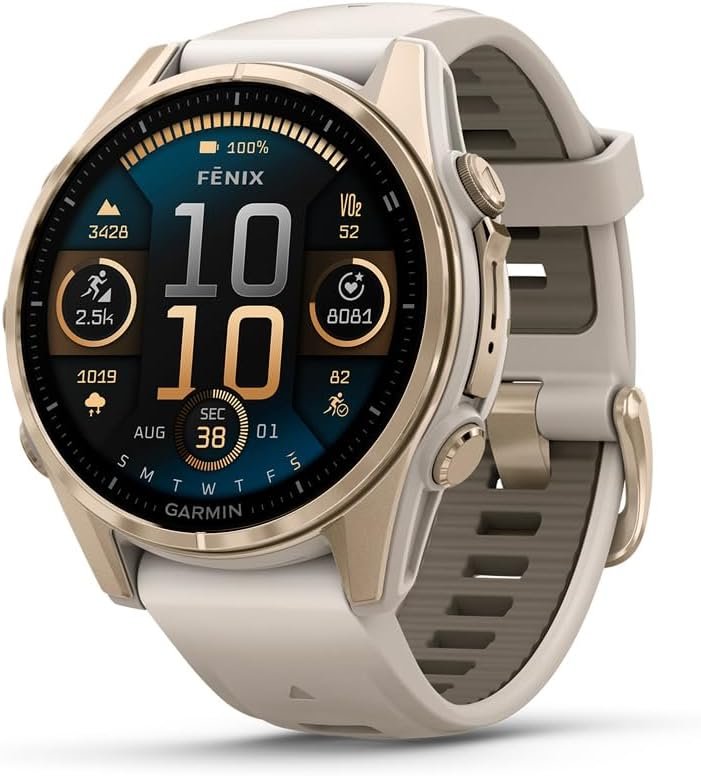
Garmin fēnix 8 Sapphire 43mm combines a compact, rugged design with advanced fitness, health and outdoor tracking. It offers detailed workout metrics, GPS navigation, sleep and recovery insights, making it a strong choic...
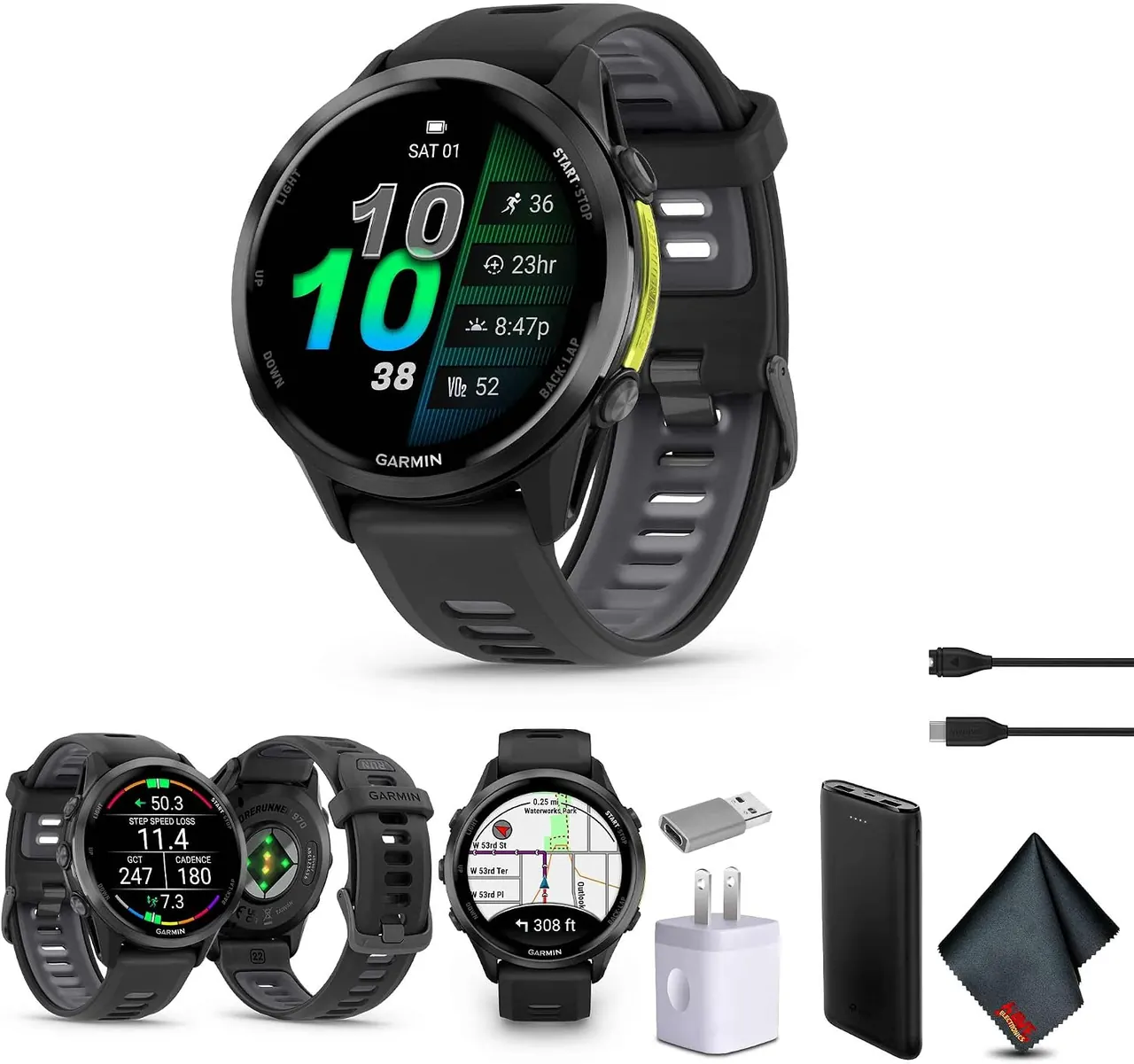
Garmin Forerunner 970 is a premium running smartwatch designed for serious runners and endurance athletes. It combines advanced training metrics, GPS, recovery and health tracking with performance insights to help you mo...
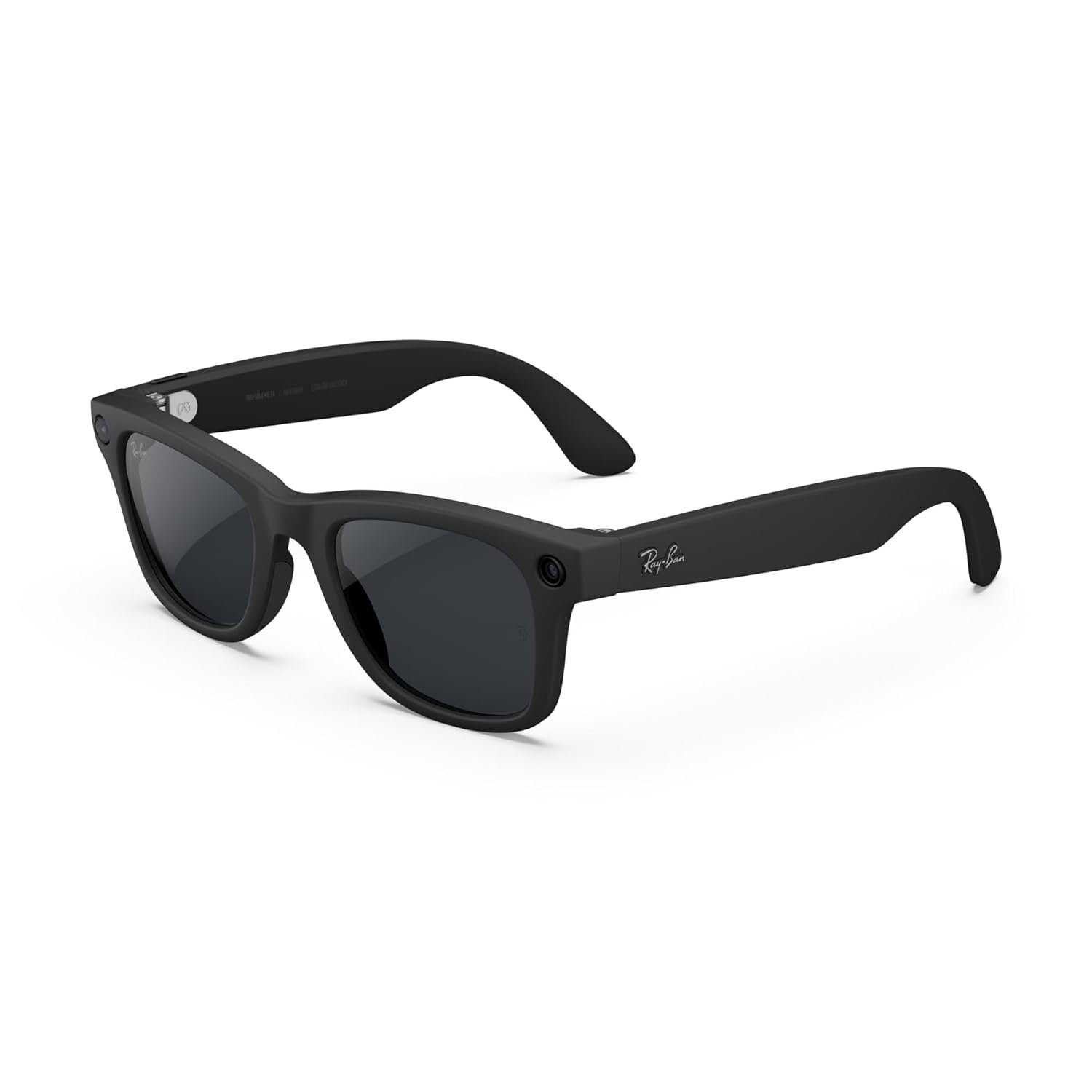
Meta Ray-Ban Gen 2 Wayfarer Smart AI Glasses combine a classic matte black frame with Transitions lenses that adapt to changing light. Built-in AI, open-ear audio, camera and hands-free controls make them practical for e...
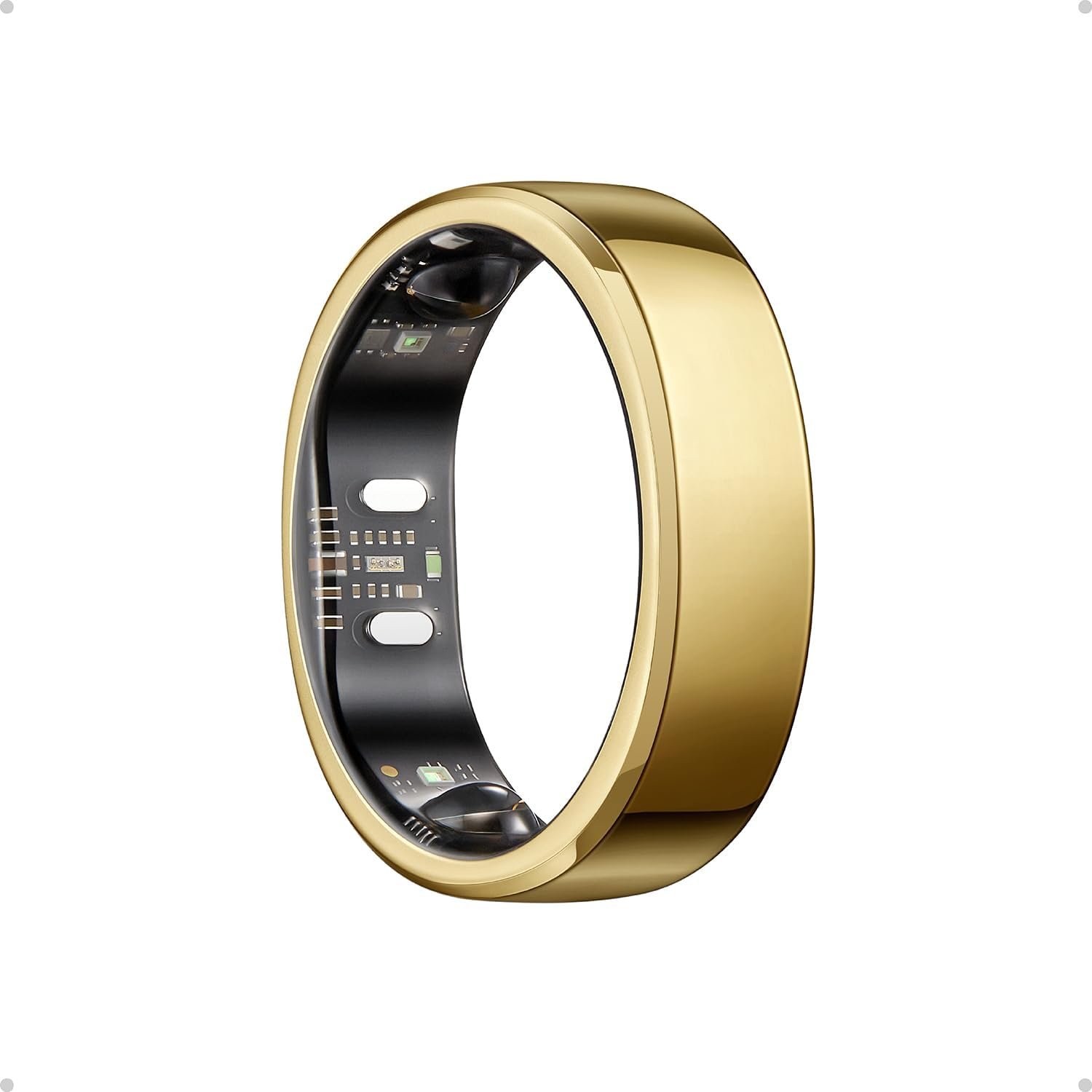
Oura Ring 5 combines a sleek gold design with discreet, continuous health tracking. Monitor sleep, heart rate, HRV, activity, recovery and temperature trends to better understand your body and make smarter decisions abou...
What Makes a Good Travel Smart Glass?
A good travel pair doesn't necessarily need every available feature. In fact, adding more hardware can mean more weight, higher prices and shorter battery life.
For travel, the features that usually matter most are:
- Good camera quality if you want hands-free photos
- Clear microphones for calls and AI commands
- Good open-ear audio
- Reliable phone connectivity
- Useful AI features
- Translation support if you travel internationally
- Navigation support
- All-day comfort
- Practical battery life
- A useful charging case
- Prescription lens support if required
- Weather and water resistance
- Clear privacy controls
- A companion app that works reliably
The important part is balance. A pair that looks impressive on a product page isn't necessarily the pair you'll enjoy wearing for eight hours while sightseeing.
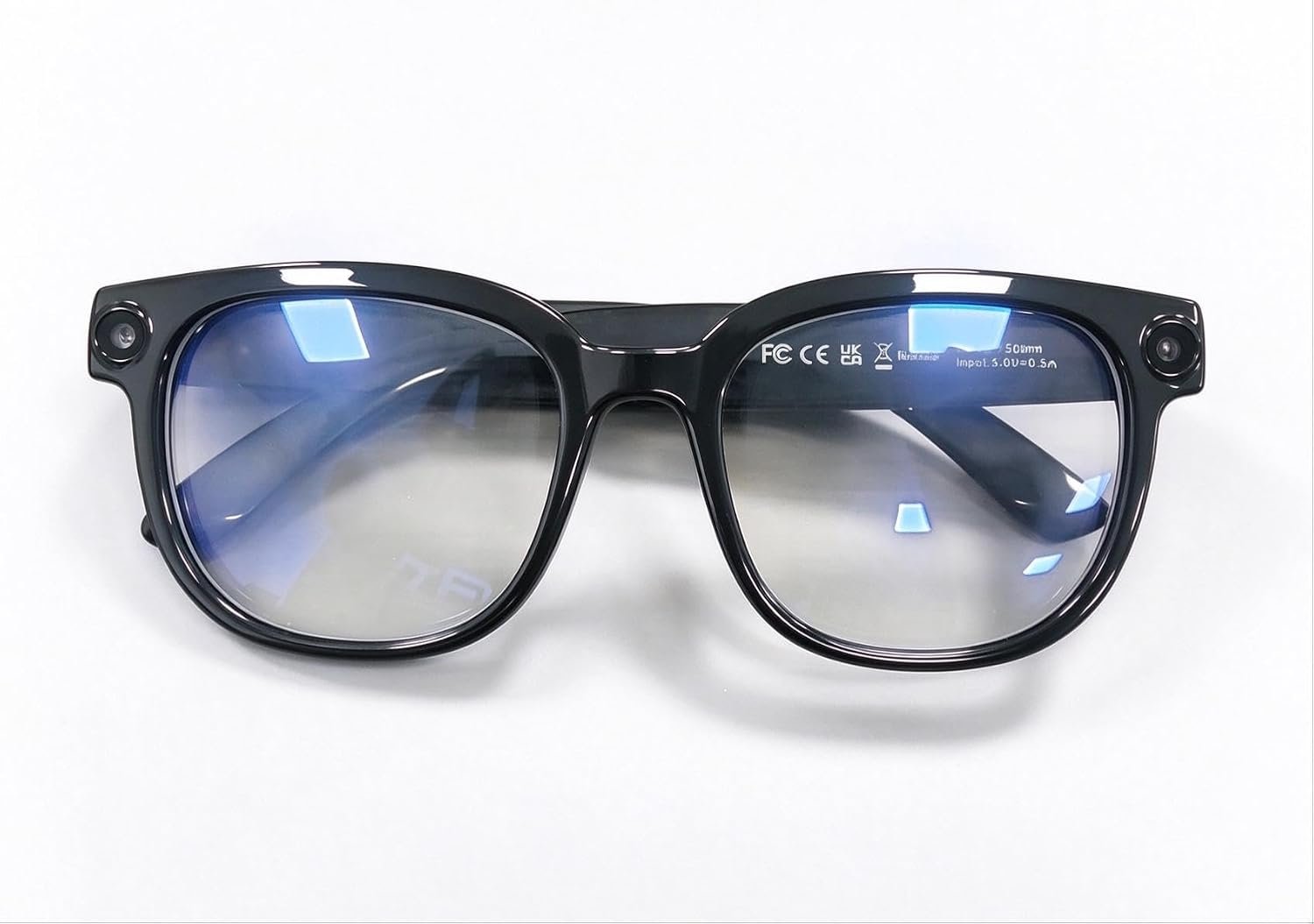
AI Smart Glasses feature a built-in camera with 4K anti-shake video, open-ear audio, transition lenses, and object recognition. Designed for everyday use, they combine hands-free photography, clear calls, smart visual as...
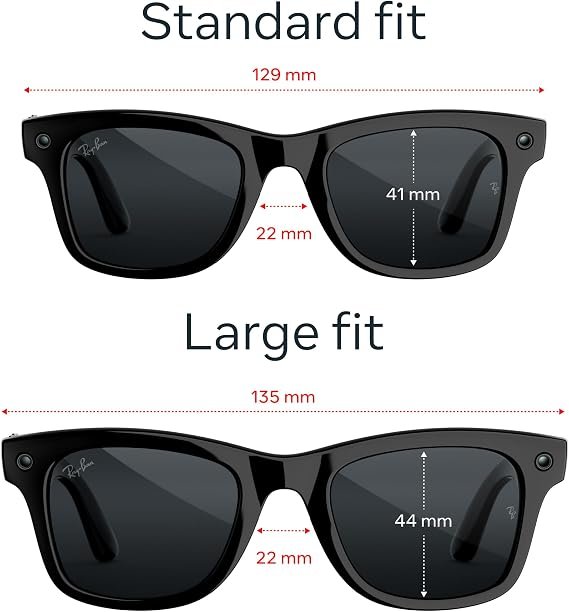
Meta Ray-Ban Gen 3 Wayfarer Large combines a classic matte black frame with clear lenses and smart AI features. Built-in camera, open-ear audio, hands-free controls and AI assistance make these glasses a practical choice...
Camera Quality Matters More Than Megapixels
For many travelers, the camera is the reason to buy smart glasses in the first place.
There is something different about taking a photo from your actual point of view instead of stopping, pulling out your phone and trying to frame the shot.
Camera glasses can be particularly useful for:
- Walking tours
- Family vacations
- Theme parks
- Museums
- Street photography
- Restaurants and food experiences
- Hiking
- Beach trips
- Road trips
- Everyday travel moments
But don't judge the camera only by the megapixel number.
Look at:
- Photo resolution
- Video resolution
- Image stabilization
- Field of view
- Low-light performance
- Microphone quality
- Video recording limits
- Storage and transfer process
- How quickly photos move to your phone
AI Smart Glasses feature a built-in camera with 4K anti-shake video, open-ear audio, transition lenses, and object recognition. Designed for everyday use, they combine hands-free photography, clear calls, smart visual as...
Meta Ray-Ban Gen 2 Wayfarer Smart AI Glasses combine a classic matte black frame with Transitions lenses that adapt to changing light. Built-in AI, open-ear audio, camera and hands-free controls make them practical for e...
Meta Ray-Ban Gen 3 Wayfarer Large combines a classic matte black frame with clear lenses and smart AI features. Built-in camera, open-ear audio, hands-free controls and AI assistance make these glasses a practical choice...
Hands-Free Photos Are Great, But Don't Expect a Camera Replacement
Smart glasses can be excellent for spontaneous travel photos. They are less likely to replace a good smartphone camera or dedicated camera when you want complete control over photography.
If you're photographing a sunset from a hotel balcony, taking a family portrait or shooting something far away, your phone may still give you better control.
Smart glasses make more sense for moments that happen quickly.
A child suddenly sees something interesting. You walk past an unusual building. You see wildlife while hiking. You want a first-person clip of a roller coaster or a walking tour.
That's where hands-free capture becomes genuinely useful.
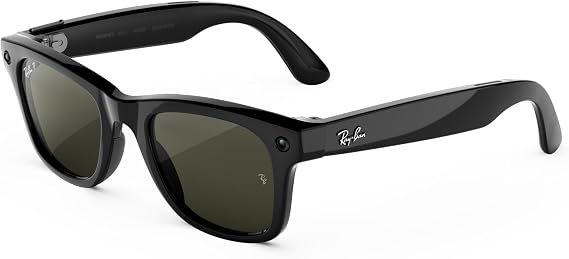
Meta Ray-Ban Gen 3 Wayfarer features a classic matte black frame with clear lenses and built-in smart capabilities. Its stylish design combines everyday eyewear with hands-free audio, AI assistance and camera features, m...
AI Features That Are Actually Useful While Traveling
AI can sound impressive in product advertising, but some features are much more useful on a trip than others.
The most practical travel applications tend to be:
- Asking questions without typing
- Identifying objects or places
- Reading or translating text
- Getting information about something you're looking at
- Voice assistance
- Translation
- Hands-free communication
For example, you might point your attention toward a landmark and ask what it is, or look at a menu and ask what a particular dish contains.
The usefulness depends heavily on the AI service, camera, microphones, internet connection and supported software. Don't assume that every AI smart glass can perform every visual AI task.
Meta Ray-Ban Gen 2 Wayfarer Smart AI Glasses combine a classic matte black frame with Transitions lenses that adapt to changing light. Built-in AI, open-ear audio, camera and hands-free controls make them practical for e...
Meta Ray-Ban Gen 3 Wayfarer Large combines a classic matte black frame with clear lenses and smart AI features. Built-in camera, open-ear audio, hands-free controls and AI assistance make these glasses a practical choice...
Translation Is One of the Most Interesting Travel Features
Translation could be one of the most practical reasons to consider AI glasses for international travel.
Depending on the model and software, you may find features for:
- Reading signs
- Understanding menus
- Translating short pieces of text
- Translating conversations
- Listening to translated speech
- Getting spoken translations through the glasses
- Viewing translated information on a display
There is an important catch: translation features aren't identical between products.
Language availability, offline functionality, regional availability and internet requirements can vary. A feature that works in the US may not necessarily work in exactly the same way when you're traveling overseas.
If translation is one of your main reasons for buying, check the manufacturer's current supported languages and requirements before your trip.
Can AI Glasses Translate Without Internet?
Sometimes, but don't assume they can.
Some smart glasses can perform certain functions without a live internet connection, while more advanced AI features may depend on your phone or a cloud service.
Offline functionality may include things such as:
- Basic audio playback
- Previously downloaded content
- Some camera functions
- Limited offline translation
- Basic device controls
Advanced AI questions, cloud processing and some live translation features may require an internet connection.
This matters particularly when you're traveling internationally and don't want to depend entirely on cellular data.
Before your trip, test the features you plan to use with your phone in airplane mode or without cellular data. Finding out that a feature doesn't work after landing is not the kind of travel surprise you want.
AI Smart Glasses feature a built-in camera with 4K anti-shake video, open-ear audio, transition lenses, and object recognition. Designed for everyday use, they combine hands-free photography, clear calls, smart visual as...
Meta Ray-Ban Gen 3 Wayfarer Large combines a classic matte black frame with clear lenses and smart AI features. Built-in camera, open-ear audio, hands-free controls and AI assistance make these glasses a practical choice...
Are AI Smart Glasses Useful in Airports?
Airports are actually one of the situations where hands-free technology can be convenient.
You may be able to use your glasses for:
- Listening to music or podcasts
- Taking photos
- Making calls
- Listening to notifications
- Asking an AI assistant a quick question
- Getting audio directions
- Capturing moments while walking through the terminal
They can also be useful when you're carrying luggage and don't want to keep holding your phone.
However, always follow airline instructions regarding electronic devices, recording and connectivity. Smart glasses don't override airline or airport rules.
AI Smart Glasses feature a built-in camera with 4K anti-shake video, open-ear audio, transition lenses, and object recognition. Designed for everyday use, they combine hands-free photography, clear calls, smart visual as...
Meta Ray-Ban Gen 3 Wayfarer features a classic matte black frame with clear lenses and built-in smart capabilities. Its stylish design combines everyday eyewear with hands-free audio, AI assistance and camera features, m...
Road Trips: A Different Smart Glasses Use Case
Road trips across the US create a different set of priorities.
You may spend hours driving between cities, stopping at roadside attractions, visiting national parks or exploring small towns.
Smart glasses can be useful for passengers who want to capture photos, listen to audio or ask an AI assistant questions about what they're seeing.
Drivers should be more cautious.
Don't use a smart-glasses feature if it distracts you from driving or requires you to interact with the device in a way that takes your attention away from the road. Navigation should remain secondary to safe driving and local laws.
Battery Life Can Make or Break a Travel Day
Battery life is easy to overlook when you're buying smart glasses at home.
It becomes much more obvious when you leave your hotel at 8 a.m. and don't get back until 10 p.m.
Recording video, using AI, making calls and streaming audio can all affect battery life.
Check:
- Typical battery life
- Battery life during heavy use
- Video recording battery consumption
- AI usage impact
- Charging case capacity
- Charging time
- Charging connector
- Whether the case is compact enough for travel
A charging case is particularly useful because you can recharge between activities instead of searching for an outlet.
Don't Forget the Charging Case
The charging case becomes part of the travel experience.
A bulky case may be annoying to carry, while a compact case can simply disappear into your day bag.
Before buying, consider the complete charging setup rather than looking only at the battery number listed for the glasses.
For a full travel day, the combination of glasses plus charging case matters more than the standalone battery figure.
Phone Compatibility Matters
Most AI smart glasses aren't completely independent devices.
Your smartphone may be required for setup, internet access, AI processing, app features, photo transfer or software updates.
Before buying, check:
- iPhone compatibility
- Android compatibility
- Bluetooth requirements
- Companion app requirements
- Operating system requirements
- Account requirements
- Internet requirements
- Cellular requirements
- Subscription requirements
This is especially important for US travelers who may move between Wi-Fi, cellular data and international roaming during the same trip.
Do AI Smart Glasses Need a Subscription?
Some smart-glasses features may be included with the device, while other services can depend on an account, subscription or separate software service.
Don't judge the purchase price alone.
Before buying, find out whether the features you care about require an additional recurring fee.
Pay particular attention to:
- AI assistant access
- Advanced AI features
- Cloud storage
- Translation
- Navigation services
- Premium apps
- Additional storage or content services
Comfort Matters More When You're Traveling
Trying smart glasses on for five minutes in a store doesn't tell you much about what they will feel like after eight hours of sightseeing.
Travel often means wearing your glasses continuously while walking, waiting, shopping and exploring.
Look at:
- Frame weight
- Nose-pad comfort
- Temple pressure
- Frame width
- Lens shape
- Heat buildup
- Fit while walking
- Fit with hats
- Fit with headphones
If the glasses aren't comfortable, you probably won't use them as much as you expected.
Prescription Support for Travelers
If you normally wear prescription glasses, prescription compatibility should be one of your first checks rather than an afterthought.
Look at:
- Supported prescription range
- Available lens types
- Transition or photochromic options
- Prescription ordering process
- Replacement lens availability
- Cost of prescription lenses
What About Sunglasses and Bright Sun?
Travel often means spending more time outdoors than you normally do.
If you're visiting places such as Arizona, Florida, California, Hawaii or the Southwest, lens choice can become particularly important.
Check whether the glasses are available with:
- Sun lenses
- Clear lenses
- Photochromic lenses
- Prescription lenses
- Polarized lenses where supported
Also check whether swapping lenses is officially supported and whether replacement lenses are easy to obtain.
Rain, Sweat and Outdoor Travel
Your smart glasses may spend more time outdoors during a vacation than they do at home.
You could encounter rain while walking around Seattle, humidity in Florida, snow in Colorado or sweat during a hike in a national park.
Check the actual water-resistance rating instead of assuming that a product described as weather resistant is waterproof.
If you're planning hiking, cycling, running or other active trips, see Best Smart Glasses for Sports and Fitness .
Privacy: Remember That You're Wearing a Camera
Camera-equipped glasses create a privacy consideration that ordinary sunglasses don't.
You may be walking through restaurants, museums, airports, stores and crowded public places while wearing a camera on your face.
Before recording, consider local rules and the expectations of the people around you.
Some locations may prohibit photography or recording. In other situations, people may simply not realize that your glasses contain a camera.
Check how the glasses indicate when recording is taking place and understand the available privacy controls before your trip.
Are Camera-Free AI Glasses Better for Travel?
That depends on what you want from them.
Camera-free glasses can make sense if your priorities are:
- Music
- Calls
- Voice assistance
- Audio notifications
- Privacy
- Normal-looking eyewear
The trade-off is that camera-based visual AI features won't be available in the same way.
For travelers who don't care about photos or visual AI, removing the camera can actually simplify the purchase.
Do You Need a Display for Travel?
Not necessarily.
A display is useful if you want information presented visually rather than entirely through audio.
Audio-focused glasses may be enough if you mainly want:
- Calls
- Music
- Podcasts
- Voice AI
- Audio navigation
- Hands-free communication
A display becomes more interesting if you want:
- Visual navigation
- Translated text
- Notifications in your field of view
- Visual information while walking
- A more immersive AI interface
Open-Ear Audio Is Particularly Useful While Traveling
One of the practical advantages of smart glasses is that you can listen without completely blocking your ears.
That can be useful when you're walking through an unfamiliar city and still want to hear traffic, announcements and people around you.
Audio quality matters, but microphone quality matters too.
If you're using voice AI or taking calls in airports, train stations or busy streets, poor microphones can quickly become frustrating.
Look for a good microphone system and noise handling rather than judging the glasses only by their speaker specifications.
What About ChatGPT, Gemini and Meta AI?
Not all AI smart glasses use the same AI assistant.
Some products rely mainly on the manufacturer's AI service. Others may integrate with additional AI services or apps.
Before buying, check:
- Which AI assistant is included
- Whether voice conversations are supported
- Whether visual questions are supported
- Whether translation is supported
- Whether the assistant requires an internet connection
- Whether a subscription is required
- Whether the service is available in the countries you plan to visit
- Whether your phone is required
Don't assume that a product labeled "AI glasses" will behave like ChatGPT or Gemini. The actual assistant, app and supported features matter much more than the AI label.
AI Smart Glasses vs. Your Smartphone While Traveling
Smart glasses are not a replacement for your smartphone.
Your phone will still be better for:
- Airline apps
- Hotel bookings
- Full navigation maps
- Banking
- Tickets
- Payments
- Long-form browsing
- Managing photos
- Messaging
- Emergency information
Smart glasses are more useful as a hands-free companion.
The idea isn't to stop using your phone. It's to reduce the number of times you need to pull it out for small tasks.
How Much Should You Spend on AI Smart Glasses for Travel?
Prices vary considerably depending on the hardware and features.
Around $300–$400
This range can include glasses focused on audio, cameras and basic AI functions.
For many travelers, this may be enough for hands-free photos, music, calls and voice assistance.
Around $400–$600
This range can include more advanced camera systems, sport-oriented designs and additional smart features.
It can make sense if you'll use those improvements regularly rather than simply wanting a more expensive frame.
$600 and above
Higher-priced products can introduce more specialized hardware, display technology or premium features.
A higher price doesn't automatically make a pair better for your trip.
If you won't use a display, for example, spending more specifically for display hardware may not make sense.
Features Worth Paying More For
For travel, paying more can make sense when the additional feature solves a problem you'll encounter repeatedly.
Features that may justify a higher price include:
- Better camera quality
- Longer practical battery life
- Better microphones
- Better speakers
- Improved comfort
- Prescription support
- Better water resistance
- Display technology
- Faster photo transfer
- More capable AI features
- A useful charging case
A better camera that you use every day on vacation can be more valuable than an advanced feature you try once and forget about.
Features You May Not Need
It's easy to get carried away when looking at smart-glasses specifications.
You may not need:
- A display
- Advanced sports tracking
- Extremely high video resolution
- Large amounts of storage
- Every AI feature available
- Premium frames if a basic frame fits better
- A subscription-heavy ecosystem
Think about your actual travel routine rather than buying based on the longest feature list.
Travel Buying Checklist
Before buying, go through this checklist.
- What will I use the glasses for most?
- Do I need a camera?
- Do I need a display?
- Is translation important?
- Do I need navigation?
- Which AI assistant does it use?
- Does it support my iPhone or Android phone?
- Does it require an app?
- Does it require a subscription?
- How long does the battery actually last?
- Does it include a charging case?
- Are the glasses comfortable for several hours?
- Can I use prescription lenses?
- What is the water-resistance rating?
- Which features work without internet?
- Which languages are supported?
- How does the camera indicate recording?
- What privacy controls are available?
- Are replacement lenses available?
- What is the warranty?
- What is the return policy?
For a more general checklist covering different types of AI glasses, see our AI Smart Glasses Buying Guide .
A Simple Decision Tree
Want hands-free photos and videos?
Look at camera + AI glasses.
Want translation and visual AI?
Look for a camera, good microphones and strong AI support.
Want navigation and information displayed in front of you?
Consider display AI glasses.
Mostly want calls, music and voice assistance?
Audio-focused glasses may be enough.
Don't want to wear a camera?
Planning hiking, cycling or active travel?
Compare models in our sports and fitness smart glasses guide .
Frequently Asked Questions
Are AI smart glasses worth it for travel?
They can be useful if you want hands-free photos, calls, audio, translation or AI assistance. They may be less useful if you prefer doing everything through your phone and don't want another device to charge.
Are AI glasses good for international travel?
They can be particularly useful for hands-free photography, translation and visual AI. Before traveling internationally, check language support, internet requirements, regional availability and phone compatibility.
Can AI glasses translate languages?
Some models support translation of text, speech or conversations. The exact languages and translation modes vary by product, and some features may require an internet connection.
Do AI smart glasses need a phone?
Many current smart glasses rely on a smartphone for setup, connectivity, apps, internet access, photo transfer and some AI functions. Check the requirements of the specific model before buying.
Are AI smart glasses good for taking travel photos?
Camera-equipped smart glasses can be convenient for spontaneous hands-free photos and videos. They may not replace a smartphone or dedicated camera when you need advanced photography controls.
Should I buy AI glasses with a display for travel?
A display can be useful for visual navigation, translated text and notifications. If you mainly want calls, music and voice AI, audio-focused glasses may be enough.
Can I wear prescription lenses with AI smart glasses?
Some models support prescription lenses, but compatibility varies by product, frame and prescription. Check the manufacturer's approved lens options before buying.
Are camera-free AI glasses better for privacy?
Camera-free glasses eliminate the camera as a source of visual recording, although they can still contain microphones and other connected technology. If privacy is important, review the device's complete privacy and data policies.
Can I use AI smart glasses on a plane?
You should follow the airline's instructions for electronic devices and connectivity. Smart glasses do not override airline policies, and some features may not work normally without an internet connection.
Are smart glasses good for road trips?
They can be useful for passengers who want hands-free photography, audio and AI assistance. Drivers should avoid interacting with smart glasses in ways that distract from driving and should follow local laws and safety requirements.
What should I look for in travel smart glasses?
Focus on the features you'll actually use: camera quality, battery life, comfort, microphones, audio, AI functionality, translation, navigation, phone compatibility, prescription support, water resistance and privacy controls.
Final Advice: Choose for Your Trip, Not the Specification Sheet
The best AI smart glasses for travel aren't necessarily the most expensive or the ones with the longest list of features.
If your vacation is mostly about taking photos and videos, prioritize the camera, battery and comfort.
If you're traveling internationally, translation, microphones, AI support and connectivity may matter more.
If you're exploring cities and want information in front of you, a display could be worth considering.
If you mainly want music, calls and voice assistance, an audio-focused pair may be all you need.
And if you don't want to wear a camera, there are camera-free options worth considering.
Start with our AI Smart Glasses Buying Guide to understand the different categories. Then use this travel guide to narrow down the features that matter for your trip.
CoreAdorn is reader-supported. When you buy through links on our site, we may earn an affiliate commission.
0 Comments
Be the first to comment.
Leave a comment
Please use kind words and keep your comment on topic. Comments are reviewed by the CoreAdorn team before they appear.